Event checklist
The event checklist is your operational to-do list for a single event. It keeps the team aligned on what needs doing, by when, and by whom — separate from the CRM tasks tied to deals.
When to use this
Use a checklist for the recurring operational work an event always needs: confirm venue, order catering, finalize signage, brief staff, and so on. If your events follow a repeatable pattern, build a template once and apply it to every new event.
Where to find it
Open an event and click Checklist in the event nav
(/t/<slug>/events/<id>/checklist).
Step by step
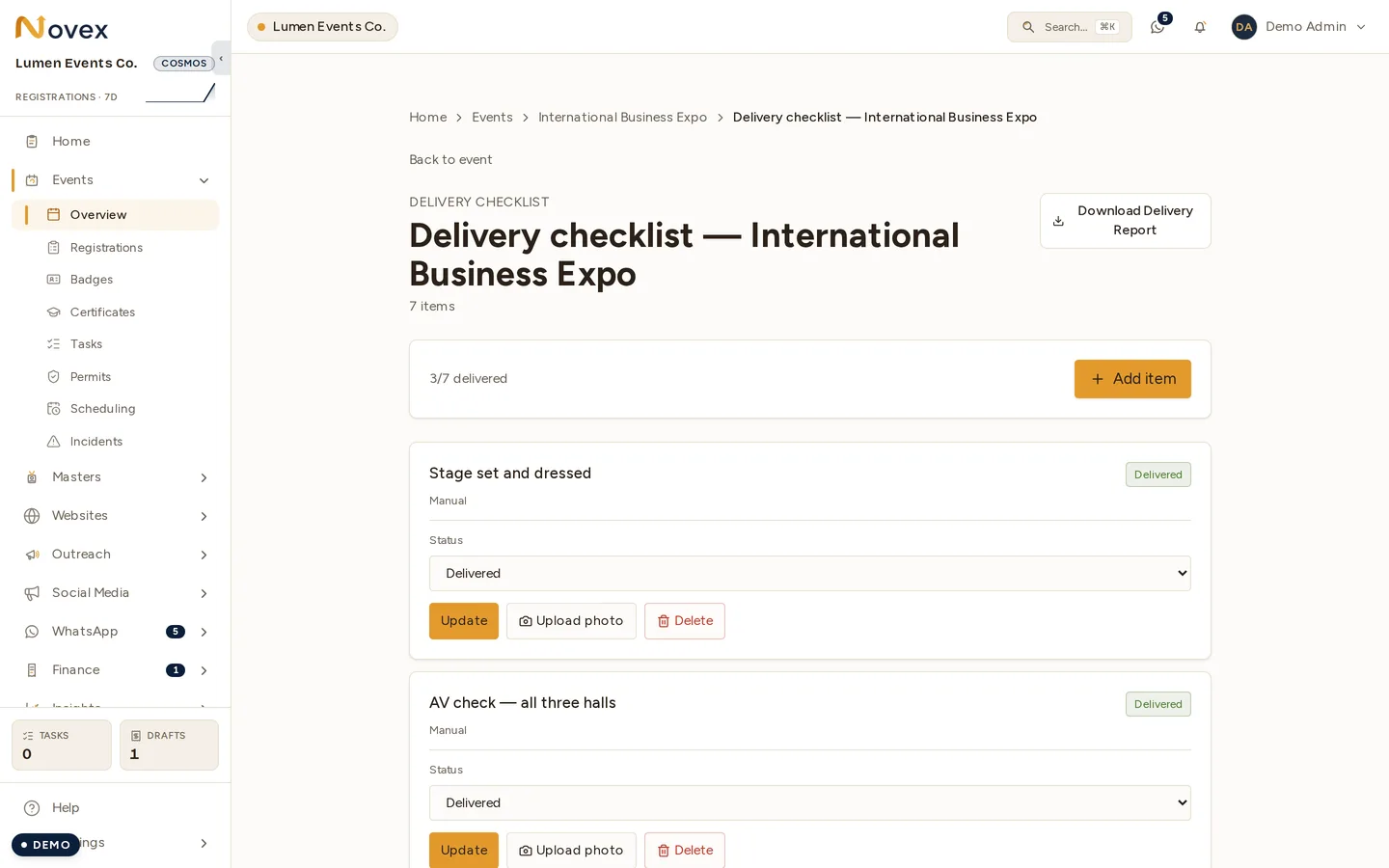
- Open the event’s Checklist tab.
- Click + Add item to create an item. Give it a title and an optional description. Checklist items carry no due date or assignee — for dated, assigned work use the event’s Tasks tab instead.
- Check items off as they’re completed. Progress is summarized at the top so you can see at a glance how ready the event is.
- Reorder or edit items as the plan changes.
Checklist templates
Rather than rebuild the same list every time, define reusable templates:
- Go to Settings → Checklist templates.
- Create a template (for example “Conference — standard”) and add the items that every event of that kind needs.
- When you create or open an event, apply the template to populate the checklist in one click. You can then add event-specific items on top.
Tips & limits
- Checklist items cannot be assigned. There is no owner field — an item records who completed it, not who it is waiting on. For dated, assigned work use the event’s Tasks tab instead.
- Templates are a starting point, not a lock — applying a template copies its items into the event, where you can edit them freely without affecting the template.
- Keep checklist items operational; use Tasks for sales-pipeline follow-ups and the agenda for the run-of-show.
Next
Last updated on