Incidents
The incident log is where your team records anything that goes wrong on the ground — and tracks it to resolution. Every incident belongs to a specific event, carries a severity and a category, and moves through a simple status workflow with a running timeline of notes.
Where to find it
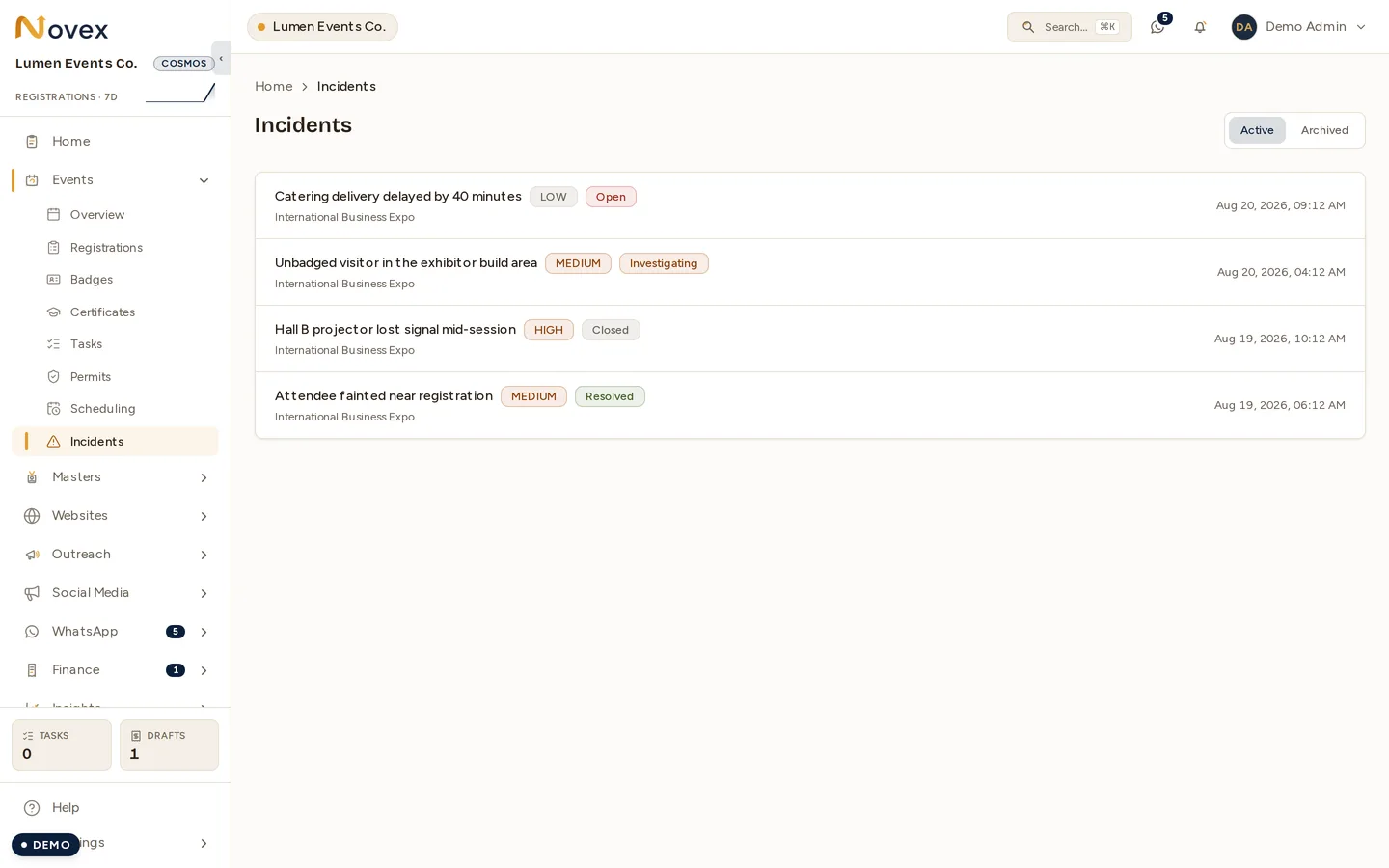
Active and Archived are the two views. Active carries everything still
on the board, whatever its status — including ones already Closed or
Resolved, until they are archived.
Open Incidents from the logistics area of the left navigation
(/t/<slug>/incidents). The list has Active and Archived tabs; the most
recent incidents (by when they occurred) appear first.
Each row shows the title, a severity badge, a status badge, the linked event, and the time the incident occurred.
Log an incident
Choose New incident and fill in:
- Event (required) — the event the incident happened at.
- Title (required).
- Severity (required) — Low, Medium, High, or Critical (defaults to Medium). Medium and High show as a warning tone; Critical shows as danger.
- Category (required) — one of Medical, Security, Fire safety, Technical, Logistics, Guest complaint, VIP, Weather, or Other (defaults to Other).
- When it occurred (required).
- Description — optional details.
The person logging the incident is recorded as the reporter, and the entry starts with status Open.
Work an incident to resolution
Open an incident to see its severity and status, its details, any attachments, and a timeline of notes and status changes. You can:
- Add a note — appends to the timeline (available until the incident is closed).
- Advance the status — a single forward step at a time: Open → In investigation → Resolved → Closed. Closing stamps a close time; Closed is the final state and can’t be reopened.
- Attach files — supporting photos or documents.
- Archive an incident once it’s dealt with (and restore it from the Archived tab if needed).
Permissions
Incidents are an event sub-resource and reuse your Events permissions:
events.read— view the incident list and details.events.write— log incidents, advance status, add notes, edit, and attach files.events.delete— archive and restore incidents.
It is available on every plan (no plan-tier gate).