Quotations
A quotation in Novex is a priced proposal you send to a client before they commit. Cost lines, VAT, discount, validity date, terms — all on one document. On acceptance, one click converts it to an ACTUAL invoice.
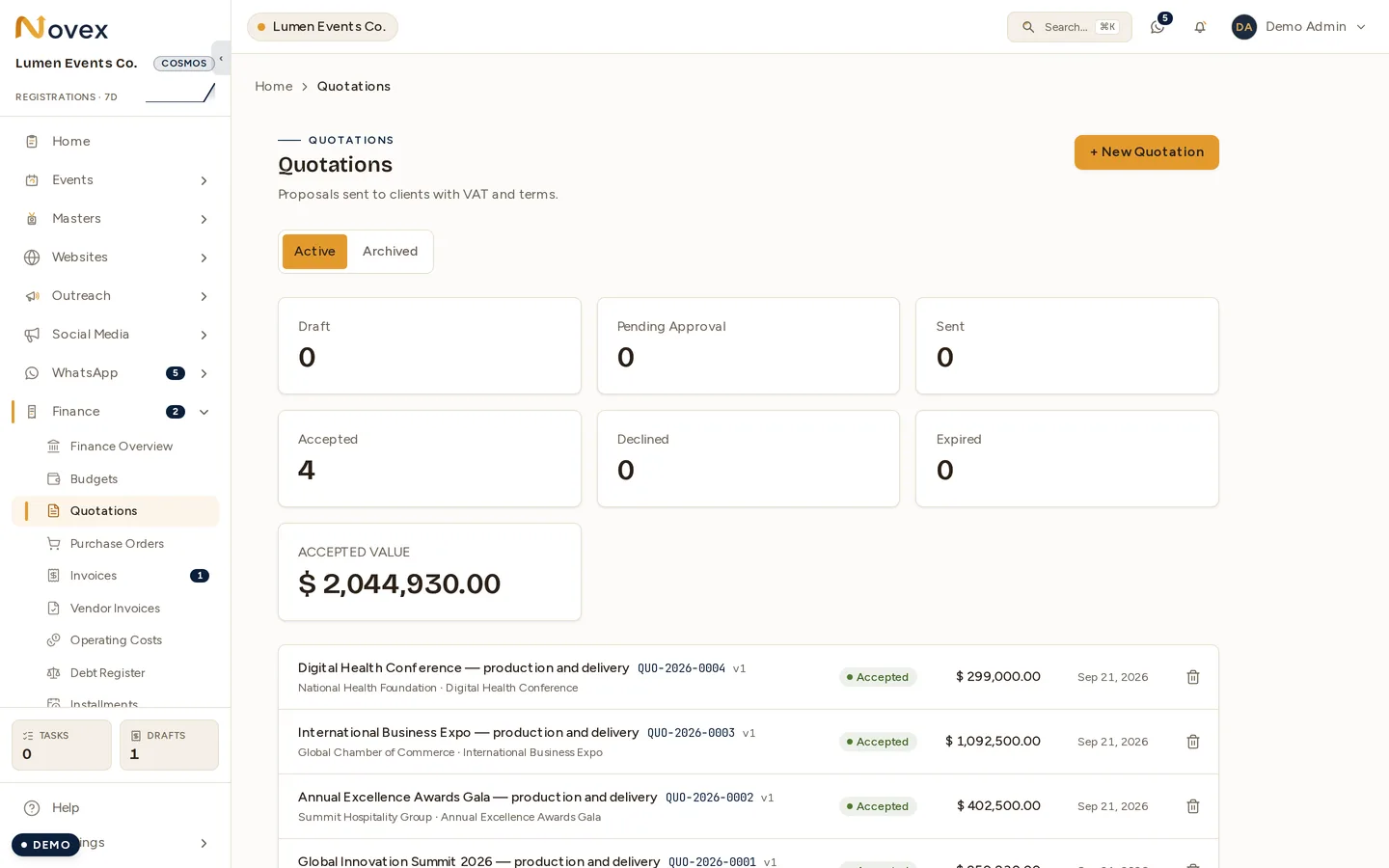
Create a quotation
- From the event’s left nav, click Quotations → + New quotation.
- Pick a client — pre-filled if the event already has one attached.
- Set the validity date (default 30 days) — the public portal page locks acceptance after this date.
- Choose the language (en / ar-SA) — the PDF renders in that language.
- Save the empty quotation — you’re on the detail page, ready to add lines.
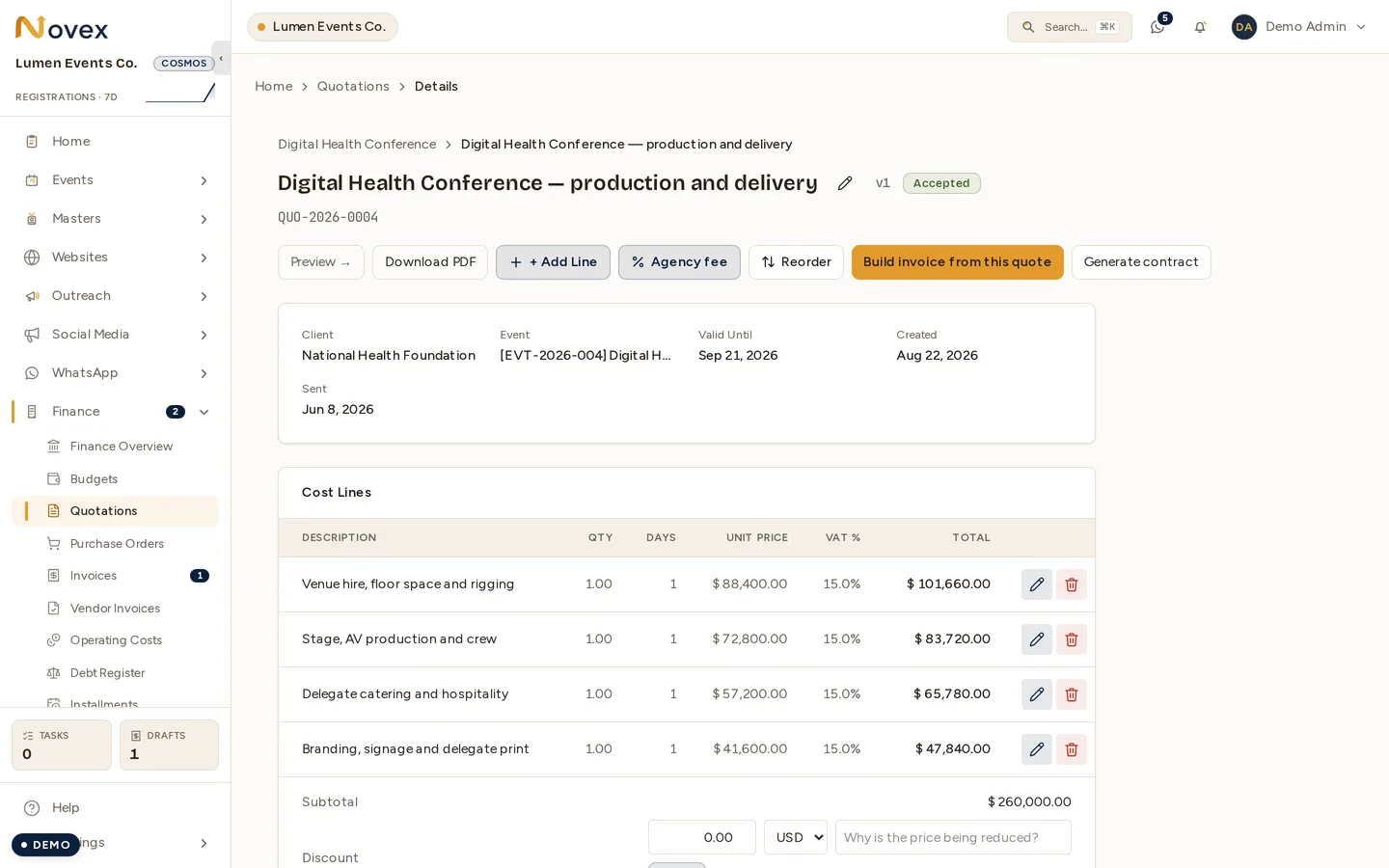
Add cost lines
Each line has:
- Description (free text, required)
- Category — Venue, AV / Production, Catering, Transport, Hospitality, … (pick “Other” + a free-text name for anything not in the list)
- Vendor — searchable dropdown of your tenant vendors; “Create new vendor” inline creates a stub
- Quantity / Days / Unit price / VAT % — feed into the line total
- Internal cost (Finance role only) — your cost per unit, never shown to the client. Drives margin reporting.
The page recomputes subtotal, VAT, and grand total live as you add lines.
Day-based pricing
Each line total is quantity × days × unit price. Leave Days at 1 for a
flat item (e.g. “Stage design — 1 × 1 × SAR 40,000”), or set it for anything
priced per day. A crew of 5 technicians for a 3-day build is quantity 5,
days 3, unit price 800 → SAR 12,000 on one line. The same day-aware line
shape is used on invoices and budgets, so a quote converts without re-keying.
Discount
The discount input accepts amount or percent via the toggle next to the field. Percent is resolved against the subtotal at submit time and stored as the absolute SAR amount; the percent value is preserved in the audit log.
Status flow
| Status | Action that moves it |
|---|---|
DRAFT | Initial state. Edit freely. |
PENDING_APPROVAL | “Submit for approval” — internal review by another team member with the quotes.approve permission. |
APPROVED | Cleared internally; ready to send. |
SENT | Sent to the client via email + a magic-link portal page. |
VIEWED | Client opened the portal page (automatic timestamp). |
ACCEPTED | Client clicked “Accept” on the portal OR an operator manually marked it accepted. |
DECLINED | Client clicked “Decline”. |
EXPIRED | Validity date passed without acceptance. |
Send to client
When the quote is APPROVED, click Send. Novex emails the client a magic
link to a portal page. The link is tenant-scoped, single-use after acceptance,
and expires on the validity date. The portal page renders the quotation, the
itemised cost lines, the totals, and the Accept / Decline buttons.
Convert to invoice
Once a quotation reaches APPROVED, SENT, VIEWED, or ACCEPTED, the detail
page exposes Build invoice from this quote. One click creates an ACTUAL
invoice that:
- Copies every quote cost line into a new invoice line.
- Carries the discount and VAT logic forward unchanged.
- Back-links to the quotation (you can navigate either direction).
The conversion is idempotent — clicking twice does not create a duplicate invoice; the second click navigates to the existing one.
Preview & print
Every quotation has a Preview page showing the fully branded document — your logo, brand colours, address, VAT/CR, line items, totals, terms, and footer. Print opens the browser’s Print / Save-as-PDF dialog. The printed output matches the preview exactly: the brand header runs full-bleed to the paper edge, app chrome (sidebar, top bar) is stripped, and the coloured header prints even when the browser’s “Background graphics” option is off — so you never have to change print settings. The header text auto-contrasts against your brand colour (see Branding) to stay legible.
Permissions
| Action | Role required |
|---|---|
| Create / edit | quotes.write (Sales, Admin) |
| Submit for approval | quotes.write |
| Approve | quotes.approve (Admin, Ops Lead) |
| Send | quotes.send (Sales, Admin) |
| Mark accepted | quotes.win (Sales, Admin) |
| Convert to invoice | quotes.win |