Finance & locale defaults
Finance & locale defaults are the workspace-wide financial and regional settings — currency, VAT, fiscal year, timezone, and language — that flow into your documents, reports, and outbound emails.
Where to find it
Go to Settings → Finance.
Fields
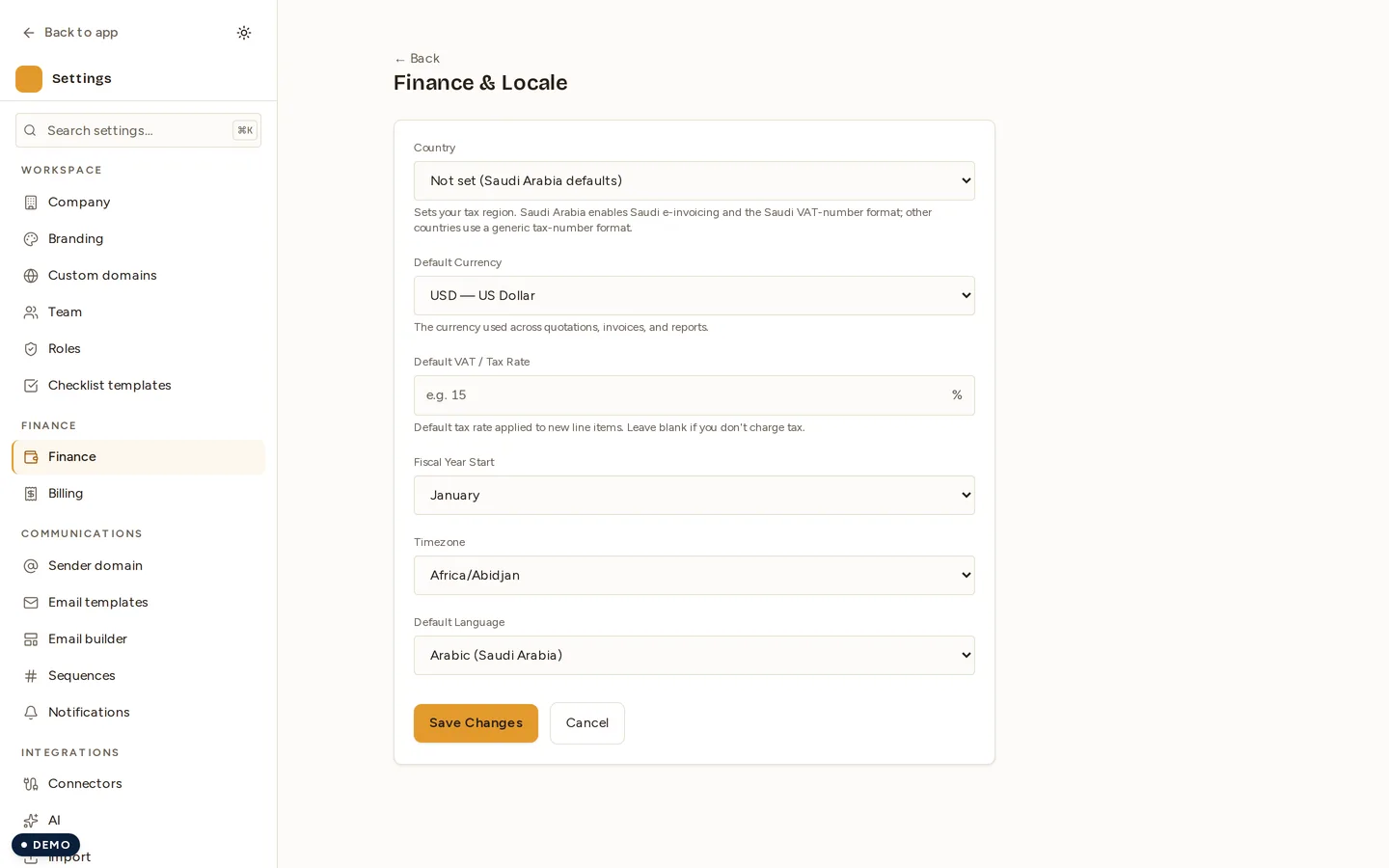
- Default currency — an ISO-4217 dropdown, for example “SAR — Saudi Riyal”.
- VAT rate — a value from 0 to 100 with up to 2 decimals; leave it blank to clear.
- Fiscal year start — the month your financial year begins.
- Timezone — selected from the IANA timezone list.
- Default language — Arabic (
ar-SA) or English.
What these affect platform-wide
| Setting | Where it flows |
|---|---|
| Currency | The currency and symbol shown on every financial surface |
| Language / timezone / date format | Background jobs that send invoice-send, payment-received, registration-confirmation, and trial emails |
| Fiscal year start | The fiscal-year boundary used in finance reporting |
All values are validated server-side, and every change is recorded in the audit log.
Globalization and multi-country
Novex is a global product. These defaults replace older Saudi-hardcoded values, so your workspace runs in the currency, language, and timezone you choose.
- Tax-ID handling is country-aware rather than assuming a single national format. See Localization.
- Saudi e-invoicing is gated per tenant — only Saudi tenants who explicitly enable it. See Saudi e-invoicing.
Related settings
Document reference-number formats are not configured here — they live on their own page. See Document numbering.
Permissions
| Action | Permission |
|---|---|
| View finance & locale defaults | settings.read |
| Save finance & locale defaults | settings.write |
Next
Last updated on