Data export & deletion (PDPL/GDPR)
Novex lets you export a complete copy of your data and permanently delete it, giving you a direct way to honour the access and erasure rights granted under Saudi Arabia’s PDPL and the EU’s GDPR. Both flows live under Settings → Data.
When and why to use this
- Right of access (export) — a person asks for a copy of the data you hold about them, or you simply want a backup of your own workspace data.
- Right to erasure (deletion) — a person asks you to delete their data, or you are decommissioning a workspace.
- Due diligence — proving to a customer or auditor that subject-access and deletion requests can be fulfilled.
Request a data export
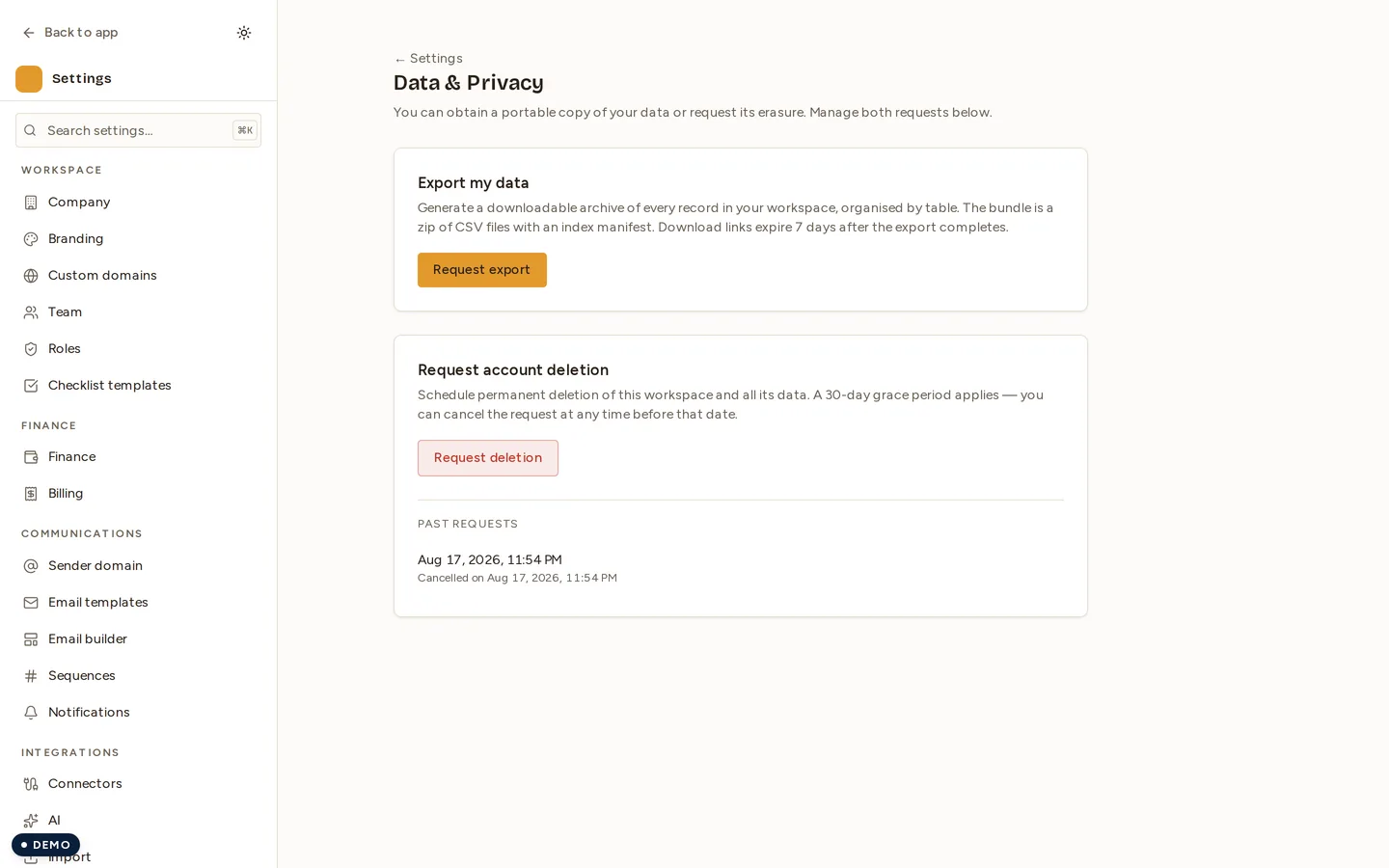
- Go to Settings → Data.
- Find the Data export section and click Request export.
- Novex assembles your data into a downloadable package. For larger workspaces this runs in the background, and the file becomes available when it is ready.
- Download the export from the same page once it completes.
What’s included
The export aims to be a complete, machine-readable copy of the data associated with your account and workspace — the records you have created and the personal data tied to them. It is provided in a structured, portable format so it can be reviewed or handed to the requesting individual.
Delete my data
- Go to Settings → Data.
- Find the Delete my data section.
- Read the on-screen warning carefully — deletion is designed to be permanent and irreversible.
- Confirm to start the deletion flow.
Novex then removes the associated data. Some records may be retained only where the law requires it (for example, tax or financial records that have a statutory retention period); these are kept solely to meet that obligation and not for any other purpose.
Webhooks: what erasure reaches, and what it cannot
If your workspace sends outbound webhooks, Novex keeps a copy of each body it sent for 7 days, so that a replay re-sends exactly what was sent rather than a fresh projection. After that we keep the delivery record — event type, status, timestamps, attempt count — and drop the contents.
- Erasing a person inside that window erases those copies with them. You do not have to wait for the 7 days to expire. The delivery record itself survives, holding nothing about that person.
- We can only erase our own copies. A webhook that has already been delivered is on your server. Erasing a person in Novex does not reach it — deleting it there is your own step, and no setting here can do it for you.
Tips & limits
- Export before you delete. If a requester wants both a copy and erasure, run the export first — once deletion completes, the data is gone.
- Deletion cannot be undone. Treat the confirmation step seriously.
- Erasure does not chase data you have already received. Anything Novex delivered to your own systems — webhook bodies, exports you downloaded, reports you forwarded — is outside our reach by construction. Plan the matching deletion on your side.
- Verify identity first. Before fulfilling an external subject’s request, confirm they are who they claim to be — that verification is your responsibility as the data controller.
- Export and deletion requests are recorded in your audit log.