Saudi e-invoicing (Fatoora Phase 2)
Fatoora Phase 2 requires every Saudi invoice to be cryptographically signed and either reported (B2C) or cleared (B2B) before issuance. Novex handles the signing, reporting, QR code, and PDF stamp once you upload your CSID certificate and pick the environment.
Prerequisites
- A registered Saudi taxpayer record with the Zakat, Tax and Customs Authority.
- A Fatoora onboarding session completed — you must have generated your Compliance Certificate (CSID) via the Fatoora portal.
- Decided whether you’re starting in sandbox or going straight to production.
One-time setup
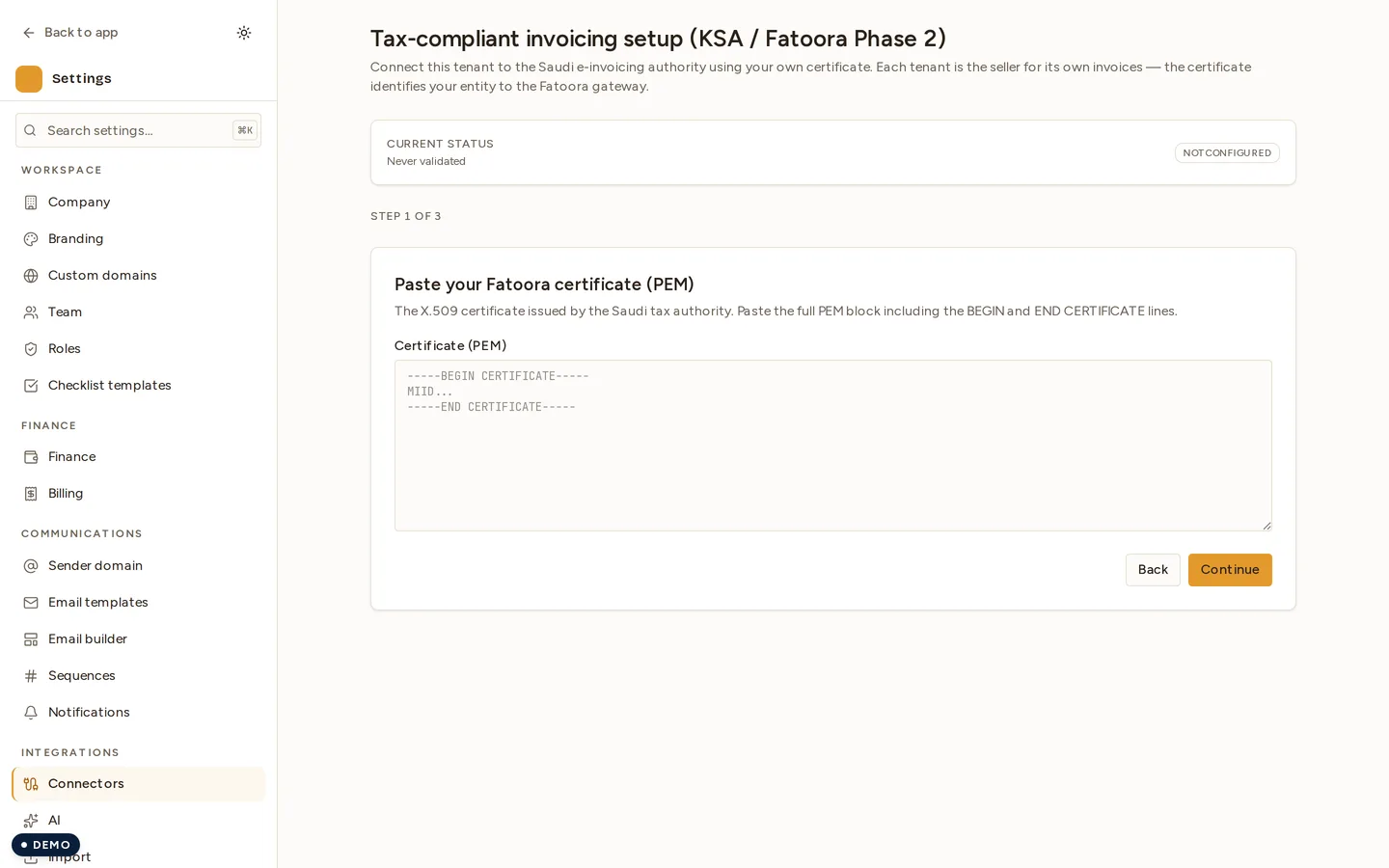
- In Novex, go to Settings → Compliance → Saudi e-invoicing.
- Pick the environment:
sandbox(for testing) orproduction(live). - Upload your CSID certificate (
.crtor.p12— both accepted). - Upload (or enter) your private key — encrypted at rest with the tenant secret-vault key.
- Set your registered taxpayer info: VAT number, CR number, registered name (Arabic + English), branch ID, national address.
- Save. Novex performs a synthetic ping to the authority to validate the cert is accepted before persisting.
Sandbox vs production
| Sandbox | Production | |
|---|---|---|
| Fatoora endpoint | gw-fatoora-sb.zatca.gov.sa | gw-fatoora.zatca.gov.sa |
| Invoices issued | Test only — never real tax liability | Real invoices; final |
| Cert validity | Issued by the sandbox UI | Issued via Fatoora onboarding |
| QR codes | Stamped, valid sandbox-side | Stamped, full TLV-encoded |
Start in sandbox. Send 3-5 test invoices end-to-end. Once you’ve verified
the stamped PDFs and the Fatoora portal shows them under your sandbox account,
swap the environment to production.
How signing works (under the hood)
When you click Issue on a KSA invoice:
- Novex builds the UBL 2.1 XML payload per the Fatoora spec.
- Computes the invoice hash (SHA-256) and the previous-invoice hash (chain).
- Signs the canonicalised XML with your private key (ECDSA over the cert’s SECP256R1 curve).
- POSTs to the Fatoora endpoint with mTLS + Basic auth (the CSID-derived credentials).
- Receives a cleared XML + QR string back.
- Embeds the QR as a 2D barcode + the cleared-stamp metadata into the PDF.
Troubleshooting
- 403 from the authority — Most often a cert mismatch (sandbox cert hitting prod, or vice versa). Check Settings → Compliance → Saudi e-invoicing → environment matches the cert you uploaded.
- 400 with
VR-01/VR-02— Validation rule failure. The error detail lists which field. Common cause: missingnationalAddresson the buyer (for B2G invoices it’s required). - Cert about to expire — the authority emails 30 days in advance. Re-onboard via the Fatoora portal, re-upload to Novex. The chain breaks if the cert lapses mid-month.
- “Previous-invoice hash mismatch” — The chain depends on the previous cleared invoice’s hash. If you ever manually restored from a backup you may need to re-anchor; email support@nov3x.com.
What Novex does NOT do
- Help you onboard with the authority. That’s a one-time interaction with their own portal — we can’t automate it.
- Store your CSID private key in plaintext. It’s encrypted at rest via the tenant secret-vault.
- Cross the prod/sandbox boundary. Each tenant picks one environment; switching rotates the credential set.
Next
Last updated on