Branding
Branding controls the visual identity applied to your quotes, invoices, and purchase orders — logo, brand colors, contact info, address, bank accounts, and document boilerplate.
Plan gate
Custom branding is a FLARE-plan-and-above feature. Lower tiers see a read-only locked state with an Upgrade prompt. See Billing & plans.
Where to find it
Go to Settings → Branding.
Sections and fields
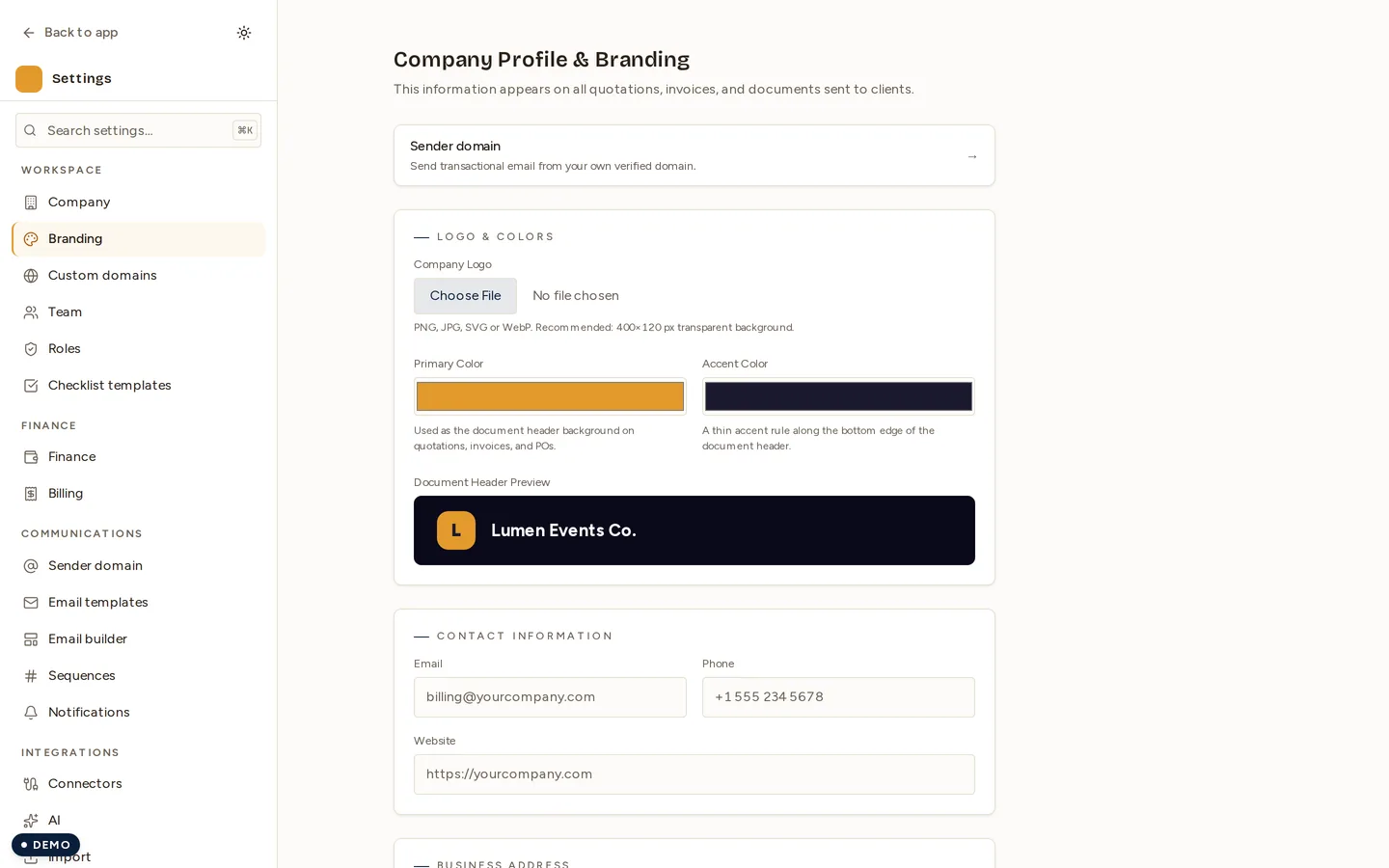
1. Logo & Colors
- Logo upload — PNG, JPEG, or WebP. The file is validated against an allowlist with a 2 MB cap; SVG is rejected server-side for safety.
- Primary color — default
#E39A2C(marigold). This is the document header background. - Accent color — default
#1A1A2E. This is a thin rule under the header. - A live Document Header Preview shows the result.
2. Contact Info
- Email, Phone, Website.
3. Address
- Line 1, Line 2, City, Region, Postal code, Country (default Saudi Arabia).
4. Bank Accounts
- Primary plus an optional Secondary account.
- Each holds Bank name, Account name, Account number, SWIFT, and IBAN.
- These print in the invoice “Payment Details” block.
5. Document Defaults
- Terms & Conditions, Payment terms, Quotation validity (default “30 days”), Footer note.
Auto-contrast header
The document header now uses your Primary color exactly as chosen, and the header text color is auto-selected — dark ink on light headers, white on dark — using a WCAG luminance calculation. This keeps the header legible whatever brand color you pick.
- The logo image itself is never recolored.
- The preview uses the identical logic, so what you see matches what prints. See Invoices for print and preview.
Permissions
| Action | Permission |
|---|---|
| View branding | settings.read |
| Save branding | settings.write plus FLARE tier |
Next
Last updated on