Adding sponsors
A sponsor in Novex is a company you’ve packaged together with deliverables — booth, branding, mentions, badge logos — and a contracted amount. Sponsors live under each event and roll up to the event’s revenue tile.
Where sponsors live
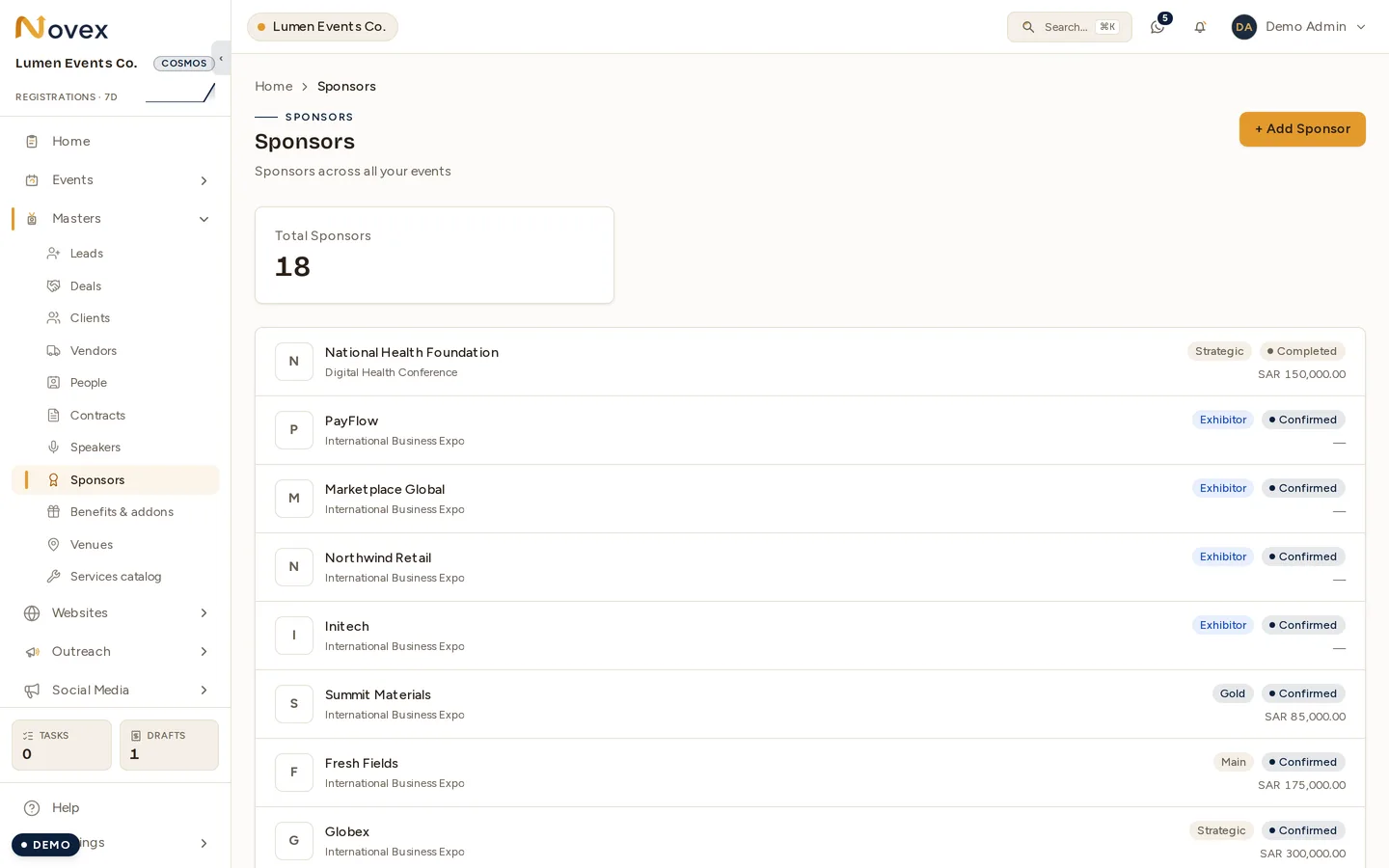
/t/<slug>/sponsors is the master list across every event. Attaching a sponsor
to one event, below, is what creates the rows you see here.
Tiers and packages
You define tiers once at the tenant level (Settings → Sponsor tiers). Common shapes: Platinum / Gold / Silver / Bronze, or Strategic / Title / Track / Exhibitor.
Each tier carries:
- Default price (you can override per sponsor).
- Default booth tier — large / medium / small / kiosk (drives floor-plan visualisation; see Floor plan).
- Default deliverables — branding mentions, social posts, badge logos, signage placement. These pre-fill the sponsor checklist on attach.
Attaching a sponsor to an event
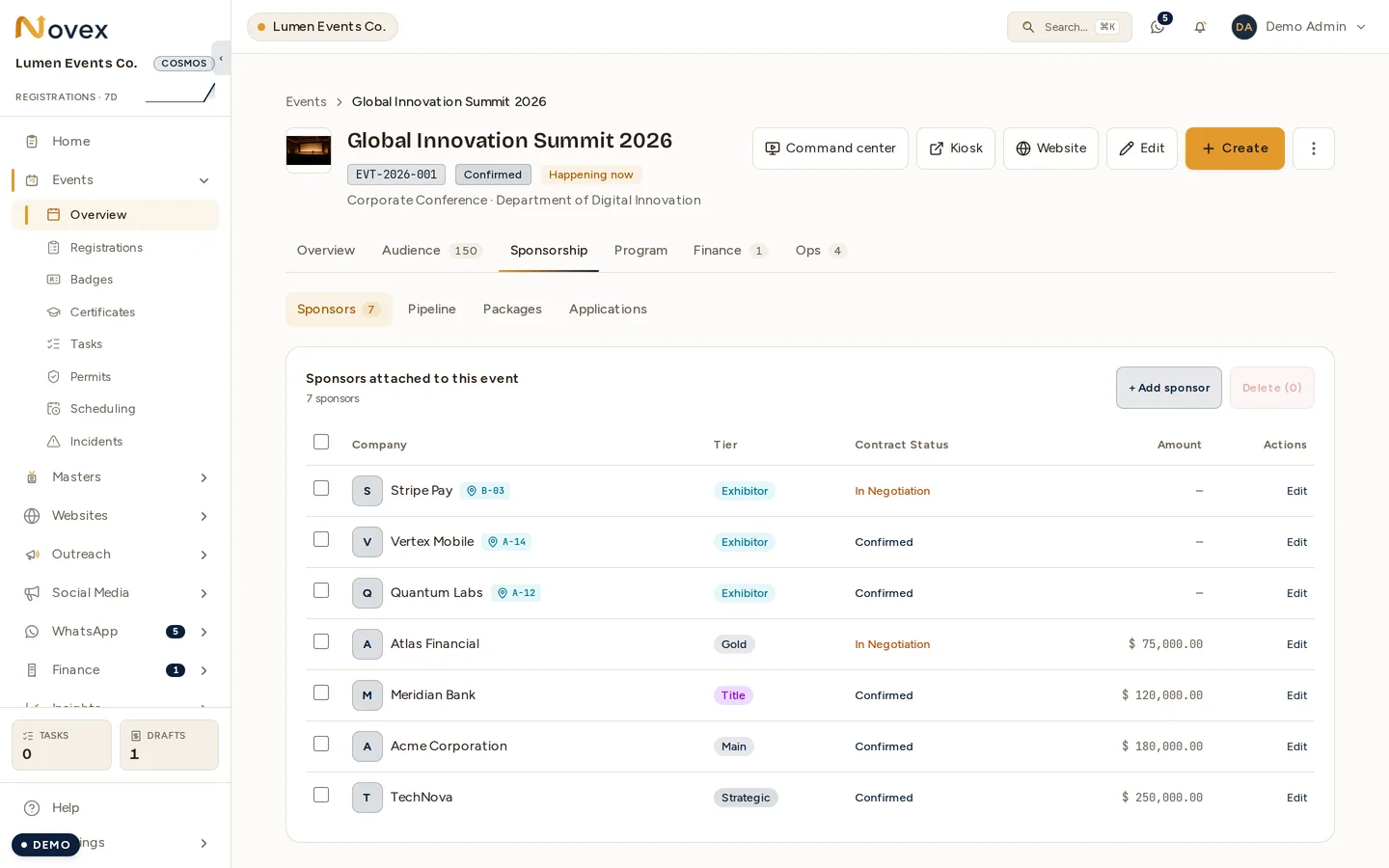
Rows on an Exhibitor tier carry their booth code next to the company name, which is the link back to the floor plan.
- Open the event and go to its Sponsorship tab, Sponsors segment.
- Click + Attach sponsor.
- Pick an existing company (CRM-side) or create a new one inline.
- Pick a tier. Price and deliverables pre-fill from the tier defaults.
- Adjust price, currency, payment terms, contracted-amount detail.
- (Optional) assign a booth from the floor plan immediately, or do it later.
- Save.
The sponsor now appears in the event’s Sponsors roster, contributes to the contracted revenue total, and shows up on the Command Center.
Status flow
| Status | Meaning |
|---|---|
PROSPECT | Identified, not contacted. |
CONTACTED | Email / call sent, awaiting reply. |
IN_NEGOTIATION | Talking price / scope. |
PENDING_INFORMATION | Waiting on something from the sponsor (CR, logo, contract sig). |
CONFIRMED | Signed. Revenue counted, deliverables active. |
COMPLETED | Event done, deliverables fulfilled, paid. |
DROPPED | Lost or pulled out. |
Only CONFIRMED and COMPLETED count toward the event’s contracted-revenue
total. The Command Center “Sponsors” tile shows live counts per status.
Deliverables checklist
Each sponsor row carries a checklist that tracks what you owe them:
- Logo on event website
- Logo on attendee badges
- Stage mention
- Social posts (count + dates)
- Signage placements (lobby / stage / floor)
- Booth (assigned from the floor plan)
You can mark each as Done / In progress / Issue — the Command Center Delivery checklist tile shows aggregate progress across all sponsors during show week.