Audit log
The audit log is a chronological, tamper-resistant record of the significant actions taken in your workspace — it answers “who did what, to what, and when”. It is your primary tool for investigations, accountability, and demonstrating compliance during an audit.
What’s recorded
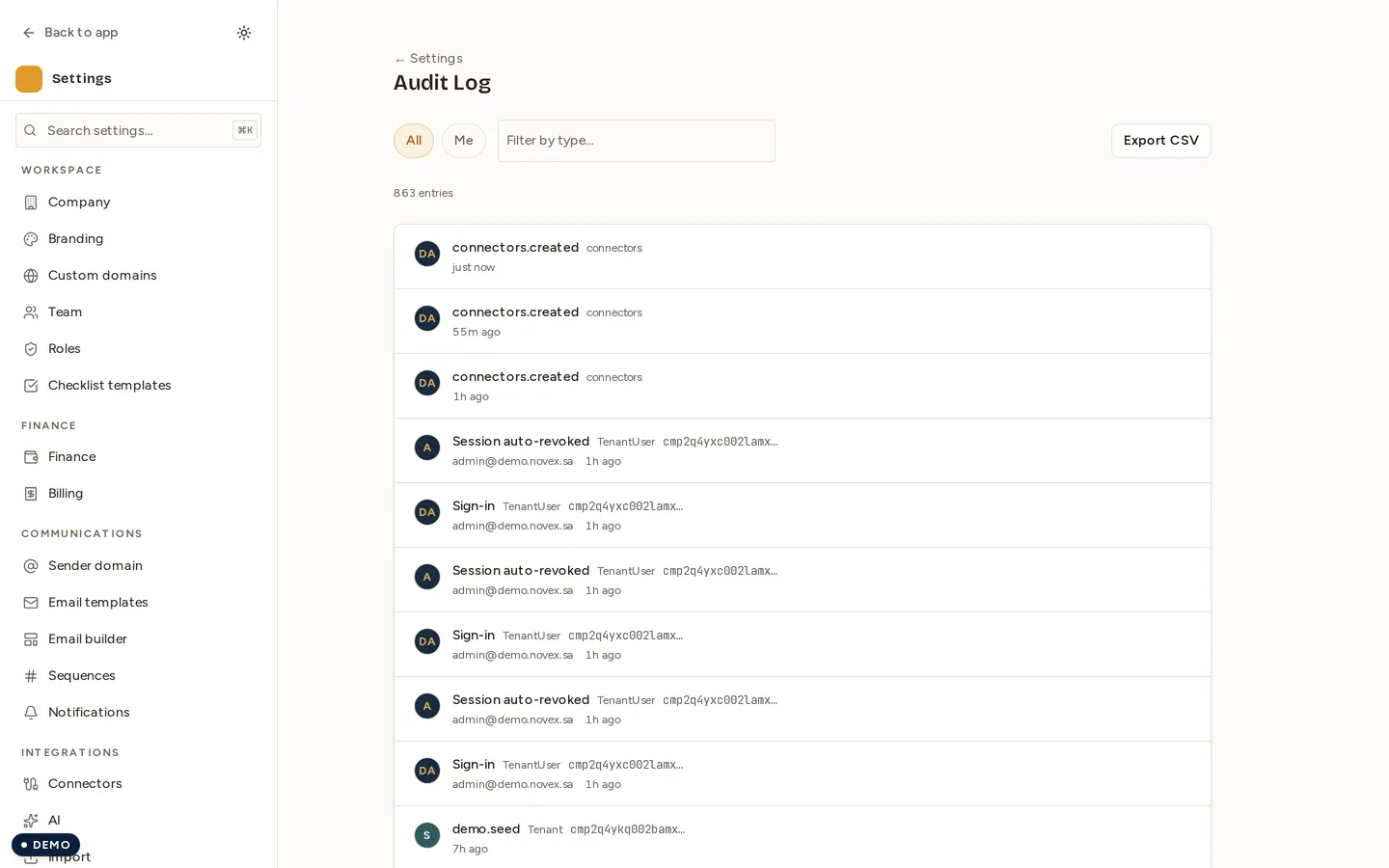
The audit log captures meaningful changes and security-relevant events across the workspace, for example:
- Access & team changes — invites, role assignments, member removals.
- Security events — sign-ins, session revocations, sign-out-everywhere.
- Data actions — export requests and deletion requests.
- Business records — significant create/update/delete actions on key records (for example finance documents), often with before/after detail.
Each entry typically records the actor, the action, the affected record, and a timestamp. Entries are append-only — they are written for accountability and are not meant to be edited after the fact.
Filtering the log
To find the entries you care about, narrow the view by the dimensions the log exposes, such as:
| Filter by | Helps you answer |
|---|---|
| Actor / user | “What did this person do?” |
| Action type | “Show me all deletions / all sign-ins” |
| Date range | “What happened during this incident window?” |
| Affected record | “Who touched this invoice / this member?” |
- Open the audit log view.
- Apply one or more filters.
- Scan the results, newest first.
Exporting the log
You can export the audit log for offline review, to attach to an audit, or to feed into your own retention archive.
- Apply any filters you want reflected in the export.
- Click Export.
- Download the resulting file.
Retention
Audit entries are retained according to Novex’s retention policy so that recent history is always available for review. If you need to keep records beyond the standard window — for a long-running legal or compliance obligation — export them periodically and store the export in your own archive.
Tips & limits
- Pull a dated export at the close of any incident so you have a fixed snapshot.
- The audit log shows that an action happened and by whom; pair it with the affected record’s own history for full before/after detail.
- Access to the audit log is itself permission-gated — see Team & roles.