Billing & plans
Novex offers a free tier plus paid subscriptions. New workspaces start on Beam — the free plan, no card required. When you need more, upgrade to a paid tier (Flare, Spectrum, or Aurora) self-serve, or talk to sales for Cosmos. Paid plans are billed monthly or annually in USD, and annual billing gives you two months free.
The plans
| Plan | Best for | Monthly | Annual |
|---|---|---|---|
| Beam | Getting started — one event, 150 attendees, 2 seats. | Free | Free |
| Flare | Small teams running a handful of events at once. | ||
| Spectrum | Teams that need white-label and full CRM at scale. | ||
| Aurora | Event firms running real seasons at scale. | ||
| Cosmos | Multi-brand operators and regulated enterprises. | Custom | Annual contract |
Launch offer — until 10 December 2026. The struck-through amounts are the previous list prices. Subscribe before 10 December 2026 and your price is locked for the life of your subscription — it does not go up when the offer ends.
Higher tiers unlock more seats, higher sending/automation limits, white-labelling, and advanced modules; the live pricing page always carries the current feature matrix.
WhatsApp Business starts at Spectrum — Spectrum, Aurora and Cosmos. Flare does not include WhatsApp: connecting a WhatsApp Business account and sending WhatsApp campaigns both require Spectrum or above. Attempting either on a lower plan is refused by the app, not merely hidden. Spectrum and Aurora include 1,000 WhatsApp messages per month; Cosmos has no monthly cap — see WhatsApp Business.
Prices shown here are indicative. Always confirm current pricing and inclusions on the pricing page before purchasing.
Start free
- Sign up at the Novex site — no card is required to begin.
- Your workspace starts on Beam, the free tier, so you can evaluate the product right away.
- Upgrade to a paid plan whenever you’re ready — see below.
Manage your plan
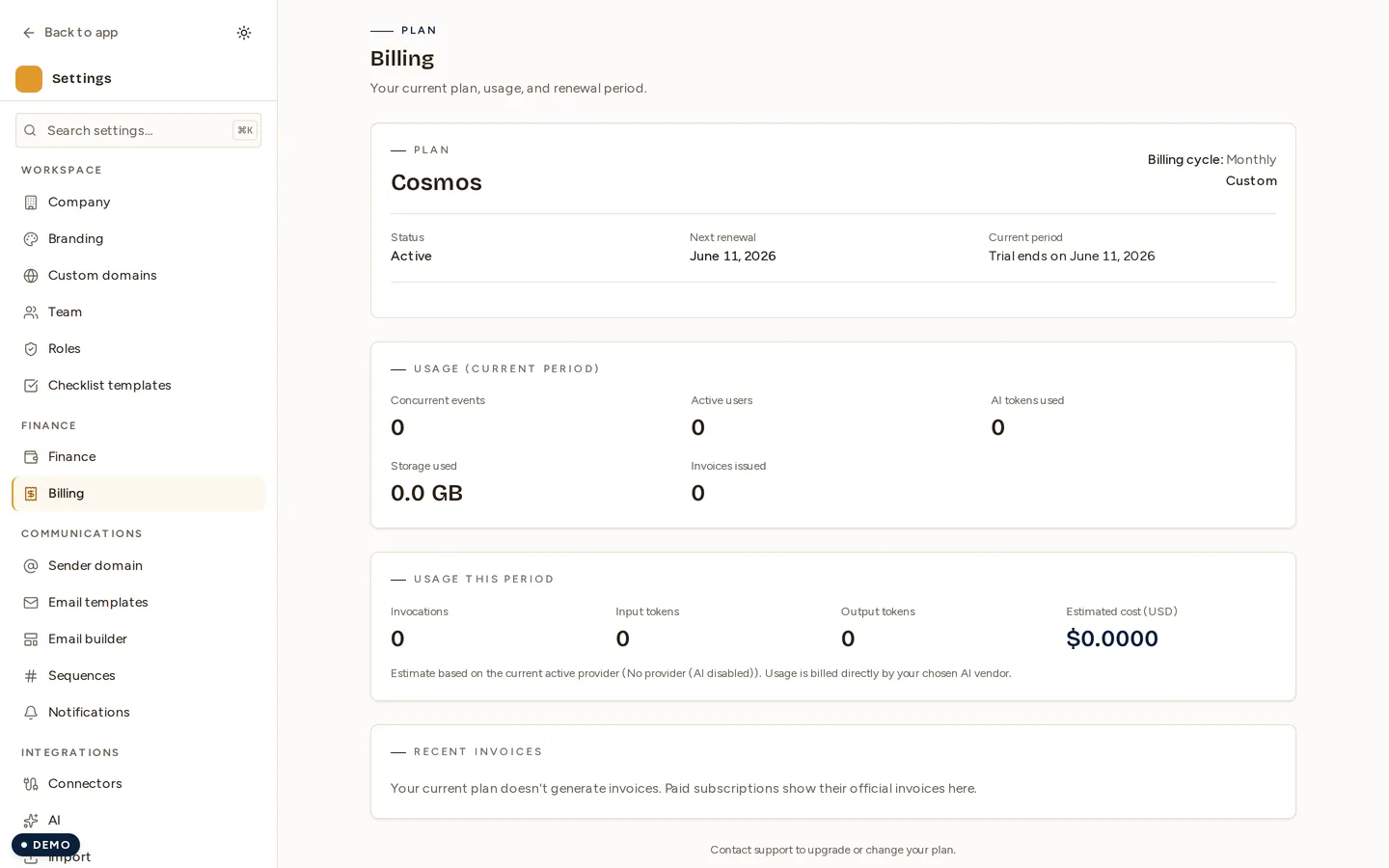
Everything billing-related now lives on one screen: Settings → Billing. The redesigned billing surface shows your current plan, price, and next renewal date, your usage for the period (seats, events, AI), and your billing history — with a link to each invoice — alongside the actions to manage it all:
- Change plan — pick Flare, Spectrum, or Aurora and a billing cycle (monthly or annual). The change takes effect immediately; access and limits update to the new tier.
- Open billing portal — update your payment method, download invoices, or cancel, in Stripe’s secure billing portal.
For Cosmos, contact sales rather than self-serve checkout — it’s a custom, annual-contract tier for multi-brand and regulated organizations.
Cancel
Cancel from Settings → Billing → Open billing portal. Your workspace stays active until the end of the paid period. Before cancelling, consider running a PDPL/GDPR data export so you keep a copy of your records.
Tips & limits
- Plan limits (seats, sending volume, AI usage) are enforced per tier — see AI usage & limits for the AI quota specifically.
- Tax documents and receipts for your Novex subscription are issued in USD.