Agenda builder
The agenda builder is a per-day timeline editor. Drag a session onto a day, pick a room and a track, and Novex flags any conflict (overlapping room booking, double-booked speaker) before you save.
Anatomy of an agenda
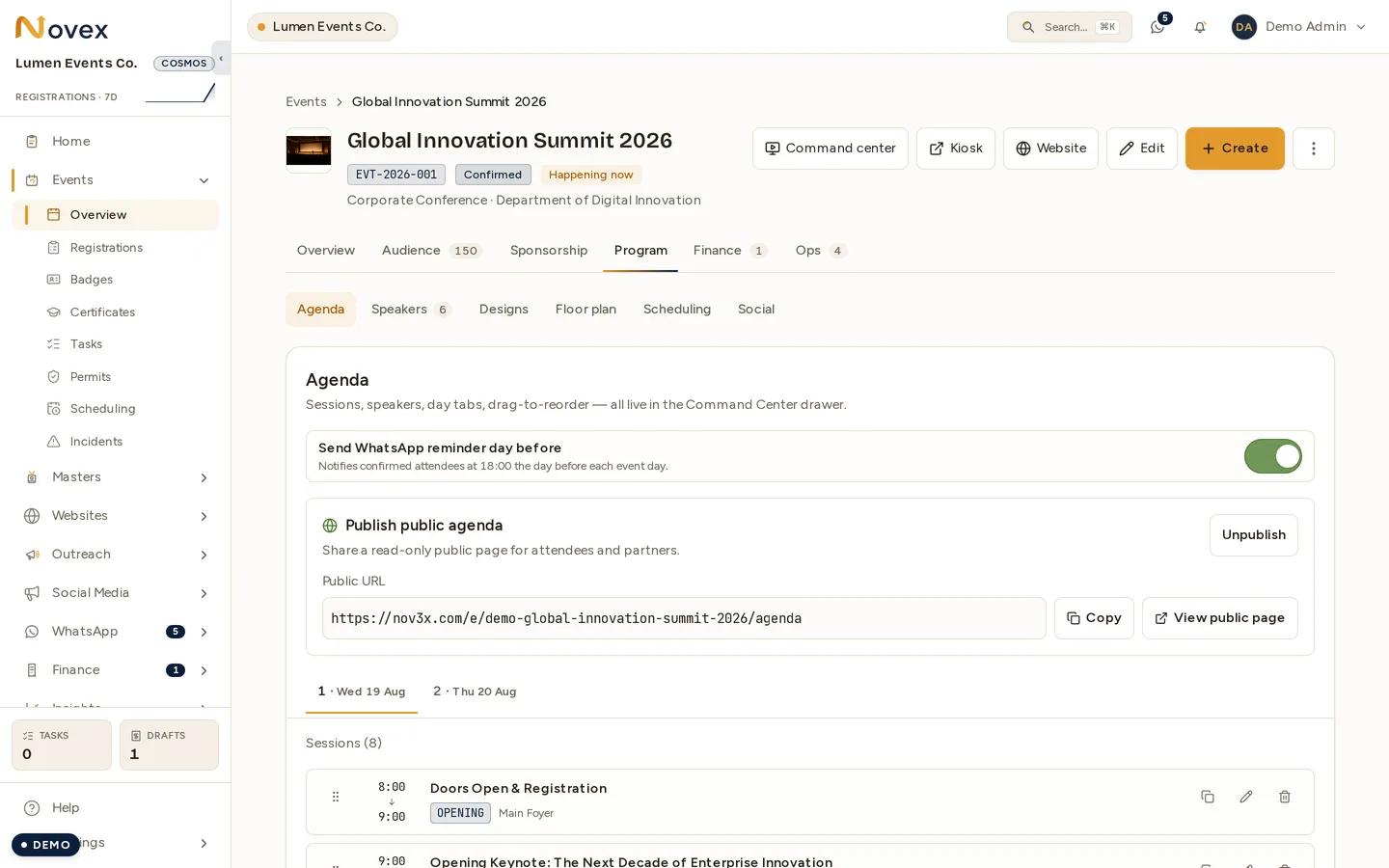
Every event has:
- Agenda days — one per calendar date in the event’s date range. Auto-created on event creation; you can add or remove days as the event shifts.
- Sessions — the time-bound items (talk, break, lunch, registration, social).
- Tracks — optional parallel streams (“Main Hall”, “Workshop A”, “Plenary”).
- Speakers — assigned per session. A speaker double-booked across overlapping sessions throws a yellow warning.
- Rooms — assigned per session. Two sessions in the same room at overlapping times throw a red error and block save.
Adding a session
- Open the event, click Agenda in the left nav.
- Pick the day you want to populate.
- Click + Add session — or drag from the session-type sidebar (Talk, Break, Lunch, Networking, Other).
- Set start time and duration. End time is computed.
- Pick a room (optional but recommended for multi-room events).
- Pick a track (optional).
- Set Speakers planned if you know it (optional).
- Attach speakers if applicable.
- Save.
Speakers planned vs speakers assigned
“Speakers planned” is what the session needs; the assigned speakers are who has actually agreed. They are two different facts and Novex keeps them apart deliberately — a panel that needs four with two confirmed is a session with work left, and deriving the plan from the assignments would make “we still need two” impossible to say.
Set it while you are shaping the agenda, before anyone is invited. Leave it blank on sessions where it means nothing (a lunch break does not need a headcount).
Conflict types
| Severity | What triggers it |
|---|---|
| 🟡 Warning | Speaker assigned to two overlapping sessions. |
| 🟡 Warning | Session ends after the agenda day’s closing time. |
| 🔴 Error | Same room booked by overlapping sessions. Save is blocked until you fix one. |
| 🔴 Error | Session start time is before the event’s published start. |
Warnings are saved-with-an-asterisk; errors block save until resolved.
Start from another event
On an event whose agenda is still empty, the full agenda page —
/t/<slug>/events/<id>/agenda, not the event’s Agenda tab — offers to copy
one: “Copy an existing event’s agenda as a base and edit it — the fastest way
to build year two.” Pick the source event and press Copy structure.
What you get is the shape of last year and none of its people:
| Travels | Does not travel |
|---|---|
| Session titles, in both languages | Speaker assignments |
| Times, session types and ordering | Registrations, invitations, attendees |
| The Speakers planned count | Sponsors and booth assignments |
Leaving the speakers behind is the point, not a limitation: copying them would claim a dozen people are booked for an event nobody has invited them to. Build the shape, then invite.
Days are matched in order, not by date — two editions rarely fall on the same dates. If the target event is shorter than the source, the copy says so rather than dropping them quietly: “Copied 14 sessions. 2 day(s) had no counterpart here and were skipped.” Add the days first if you wanted them.
The offer appears only while the agenda is empty. On an event that already has sessions it refuses — “Nothing copied — this event already has content. Copy is a starting point, not a merge.”
The sponsorship rate card has the same offer; see Package builder.
Duplicating an agenda day
If day 2 is mostly a copy of day 1, click the ⋯ menu on day 1 and pick Duplicate day. All sessions copy across (with the date shifted), so you only edit deltas.
Public agenda page
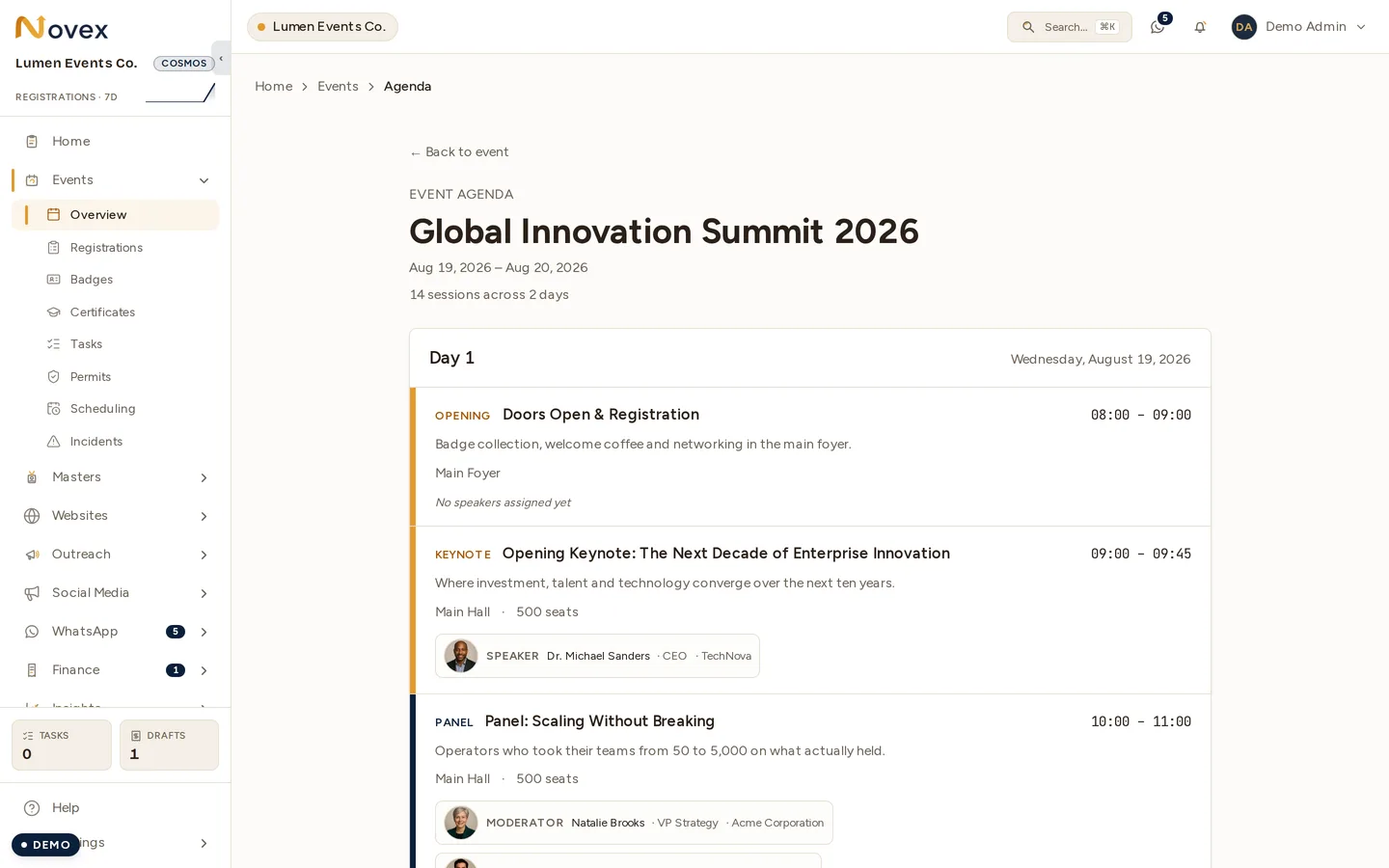
The same content is published to the event’s website. Here it is on the public microsite:
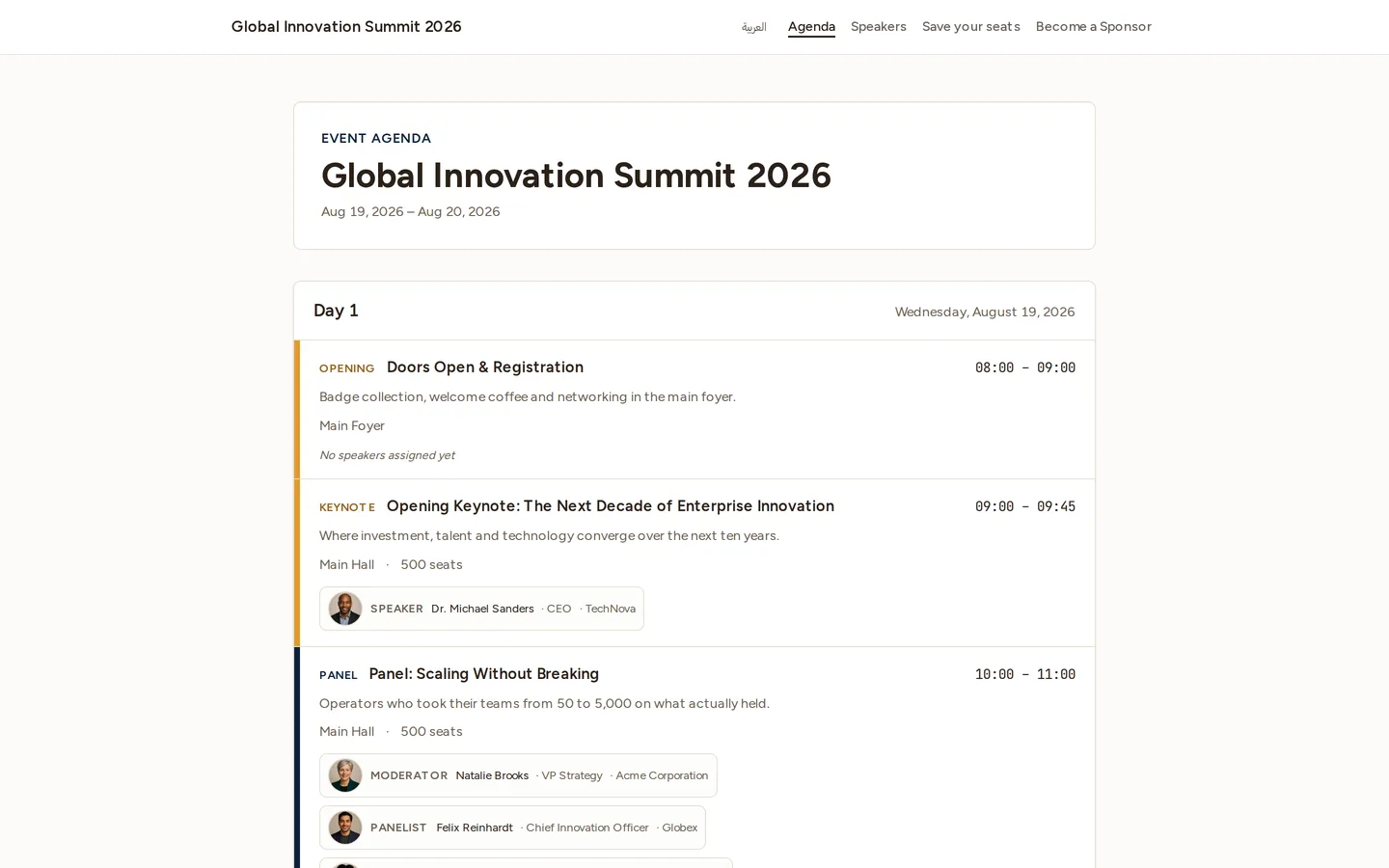
Once the event is CONFIRMED or later, an attendee-facing read-only agenda is
exposed at https://nov3x.com/e/<event-code>/agenda for sharing on social /
email blasts. Visibility is per-event toggle in Settings → Agenda → Make
public.
Add to calendar (ICS export)
Attendees can add the event to their own calendar. From the public agenda page,
the Add to calendar action serves a standard .ics file
(/api/v1/public/events/<tenant-slug>/<event-code>/ics) that every major
calendar app understands:
- Desktop browsers & Gmail download the
.icsand import it on open. - iOS Safari is handed the file with the correct
text/calendartype and hands off directly to the Calendar app.
The export is a single-event calendar entry (title, dates, location). It’s public and needs no login, so it’s safe to link from invitation emails.
Tips
- Set room capacities when you create rooms (Settings → Rooms). The Command Center uses them to compute ”% room utilisation” tiles on show day.
- Use tracks for multi-stream events. The agenda renders one column per track, so attendees scan their stream visually.
- Lock the agenda before the event by switching it to “Final” mode under ⋯ → Lock agenda. Locked agendas can still be edited by Admins; everyone else sees read-only.