Contracts
A register of legal agreements with any party — clients, vendors, speakers, sponsors, exhibitors, staff, or partners — tracked through a lifecycle.
List view
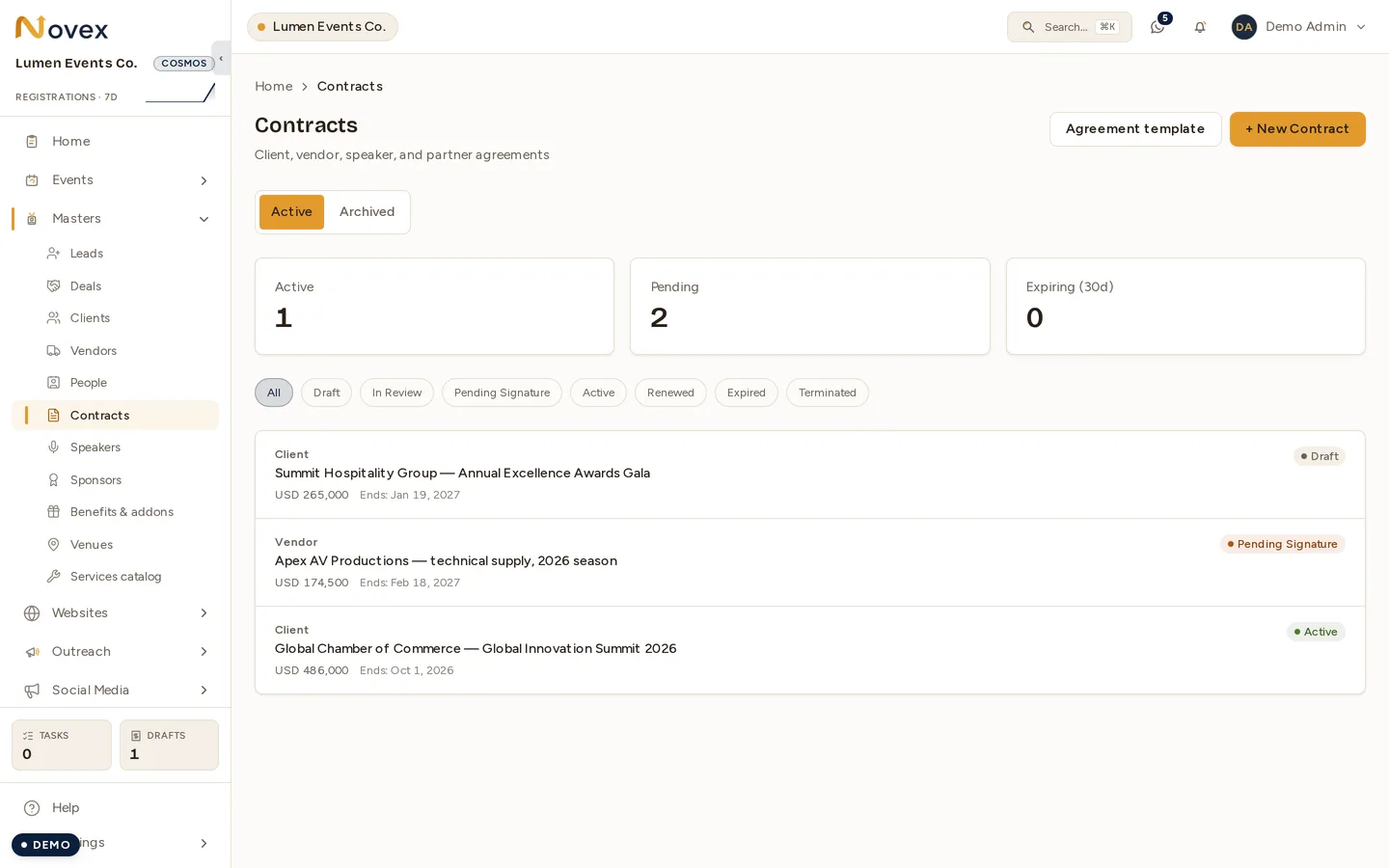
The list opens with summary cards: Active, Pending (Draft, In review, and Pending signature combined), and Expiring in 30 days. A bucket toggle switches between Active and Archived, and status filter pills narrow the view further.
Each row shows the party type, title, value and currency, end date, an “Expiring soon” flag, and a status badge. A Load more button pulls the next 200 at a time.
Adding a contract
- Title (required)
- Party type (required) — Client, Vendor, Speaker, Sponsor, Exhibitor, Staff, or Partner
- Contract value
- Party reference — a free-text counterparty identifier
- Start date
- End date
Contract detail
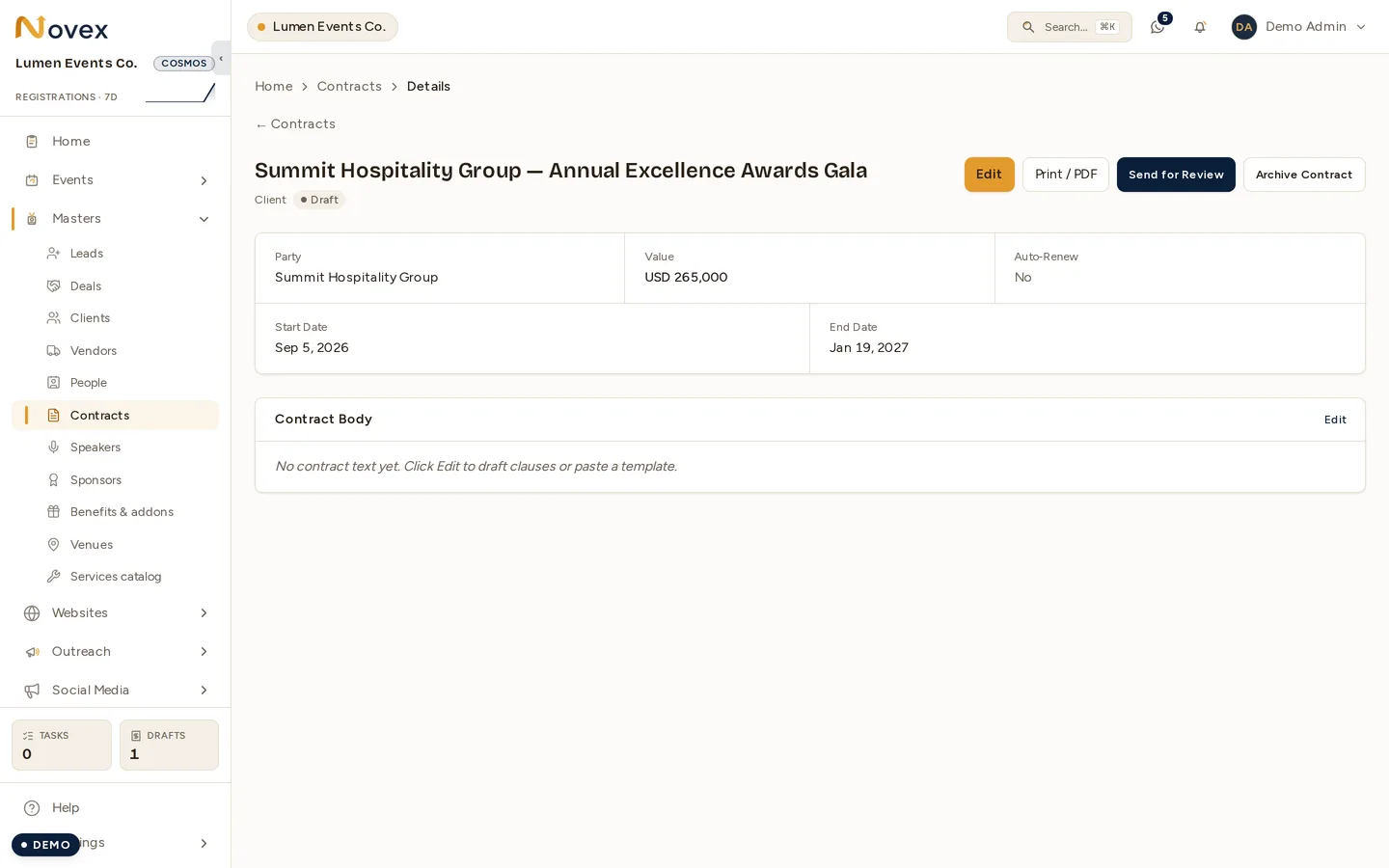
The header shows the title, party type, status, and any archived or expiring flags. A metadata grid lays out the party reference, value, auto-renew setting, start and end dates, signed date, and next review.
The body is an editable Markdown contract document, with a “Last updated by … on …” line. Buttons let you Edit, Print (a preview/print view), take the single forward status action, and Archive / Restore.
Status flow
| Status | Moves to |
|---|---|
| Draft | In review |
| In review | Pending signature |
| Pending signature | Active |
| Active | Terminated |
| — | Expired / Renewed |
The forward actions are Send for review, Send for signature, Mark as signed (this just moves the contract to Active and stamps the signed date — there is no real e-signature), and Terminate.
Notes
- The counterparty is a loose free-text link, not a hard reference to another record.
- The agreement itself is the in-app Markdown body, which is printable — there is no separate file-upload slot on a contract.
Permissions
| Action | Permission |
|---|---|
| View contracts | contracts.read |
| Create, edit, advance, archive, restore | contracts.write |
There is no hard delete — contracts are legal records, so they can only be archived.