Managing speakers
Speakers are a reusable roster of the people who present at your events. A speaker profile holds their bio, photo, contact details and links; you track where each one is in your outreach pipeline, link them to events, and — when they’re confirmed — manage their travel and stay.
Where to find it
/t/<slug>/speakers — the speaker list. Click New to add one, or a row to
open the profile. Managing speakers uses the events permission.
The speaker list
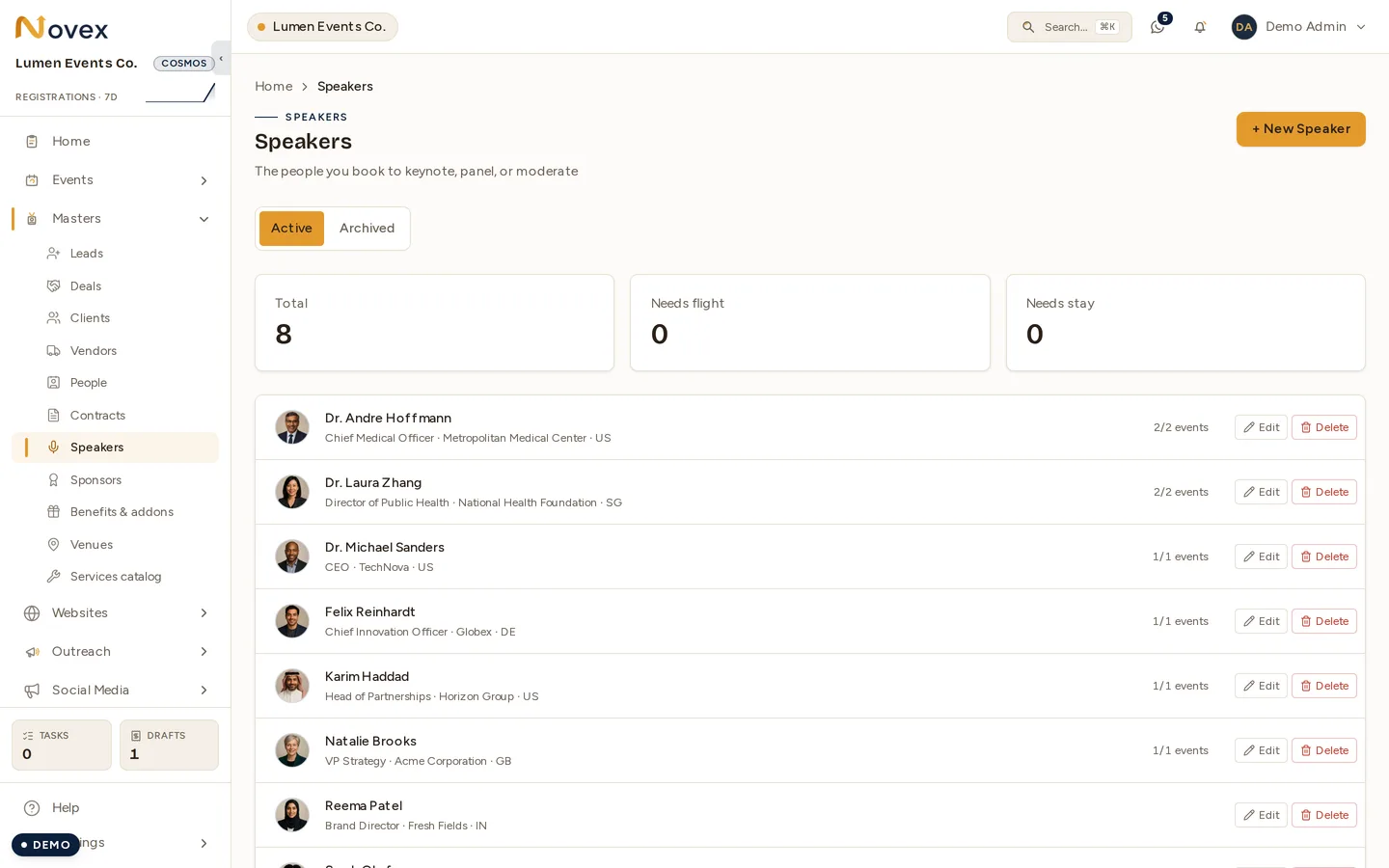
The three counters at the top are the logistics summary — Needs flight and Needs stay count the speakers you still owe travel arrangements to. See Speaker travel & stay.
Each row shows the speaker’s name, title · organization · country, and a count of confirmed vs. total event links. Small plane and bed icons flag speakers who need a flight or accommodation, so you can see outstanding logistics at a glance. Archived speakers are hidden from the list.
Adding a speaker
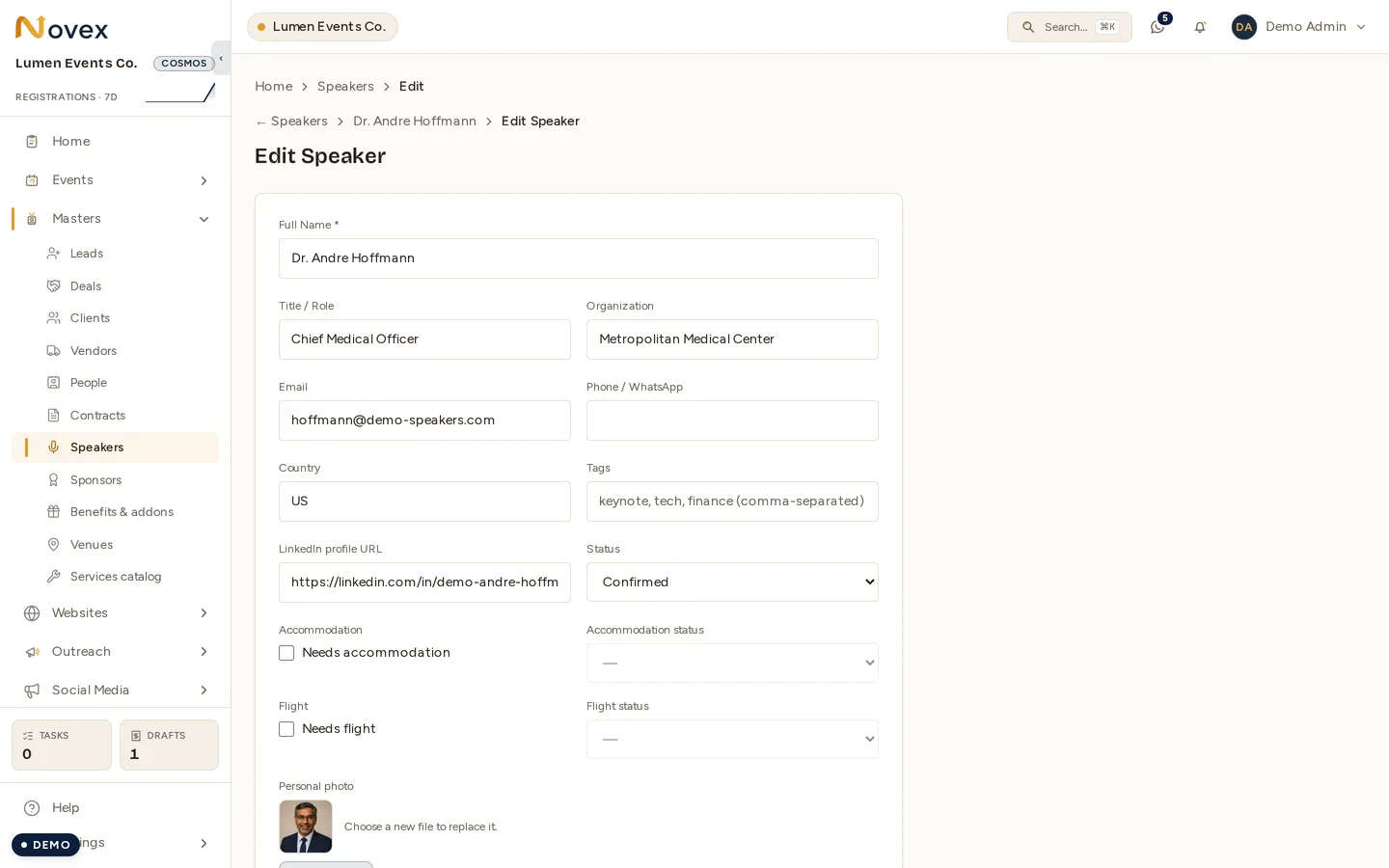
The same form is used to create and to edit. The ID / passport upload is labelled as PII on purpose — it is held to the same rules as any other personal document in the workspace.
- Go to
/t/<slug>/speakersand click New. - Fill the profile fields:
- Name (required)
- Title and Organization
- Email, Phone, Country
- Tags — comma-separated labels (e.g.
keynote,panel,VIP) - LinkedIn URL — must be a real
linkedin.com/in/…profile link - Status — see the pipeline below
- (Optional) set logistics needs — tick needs accommodation and/or needs flight, and set their status (see Speaker travel & stay).
- (Optional) upload a photo and a passport/ID scan (see below).
- (Optional) write a bio — English and Arabic — and internal notes.
- Save.
If you start from an event, the new speaker is linked to that event automatically.
Outreach status
Track each speaker through your booking pipeline:
| Status | Meaning |
|---|---|
PROSPECT | Identified, not yet actioned. |
TO_BE_CONTACTED | Queued for outreach. |
CONTACTED | You’ve reached out. |
PENDING_INFORMATION | Waiting on something from them (bio, photo, confirmation). |
CONFIRMED | Locked in to speak. |
DROPPED | Not proceeding. |
Photos, bios and documents
- Photo — JPEG, PNG, WebP, SVG, AVIF or PDF, up to 5 MB. Used on the profile and available for event websites and agendas.
- Passport / ID scan — PDF, JPEG or PNG, up to 10 MB. Useful for travel bookings and venue access lists. Uploads are audited and the document itself is never exposed in logs.
- Bio (English) and Bio (Arabic) — up to 2,000 characters each; the Arabic bio renders right-to-left. Keep both current for bilingual event pages.
- Notes — internal only, never shown publicly.
Editing, archiving and deleting
Open a speaker and use Edit to change any field or manage logistics. From the profile you can also Archive (hide without losing data) or Delete. If a speaker is linked to events, deleting safely falls back to archiving so those links and any travel records are preserved.
Tips
- Reuse profiles across events — a speaker you’ve booked before keeps their bio, photo and links, so re-inviting them is one click.
- Set the logistics flags early so the plane/bed indicators surface who still needs travel arranged.
- Keep bios under 2,000 characters and fill the Arabic bio for bilingual audiences.
Next
- Speaker travel & stay — flights and accommodation.
- Command Center — live speaker arrivals on show day.