Leads
Leads are the top of the funnel — prospective customers you capture, qualify, and convert.
List view
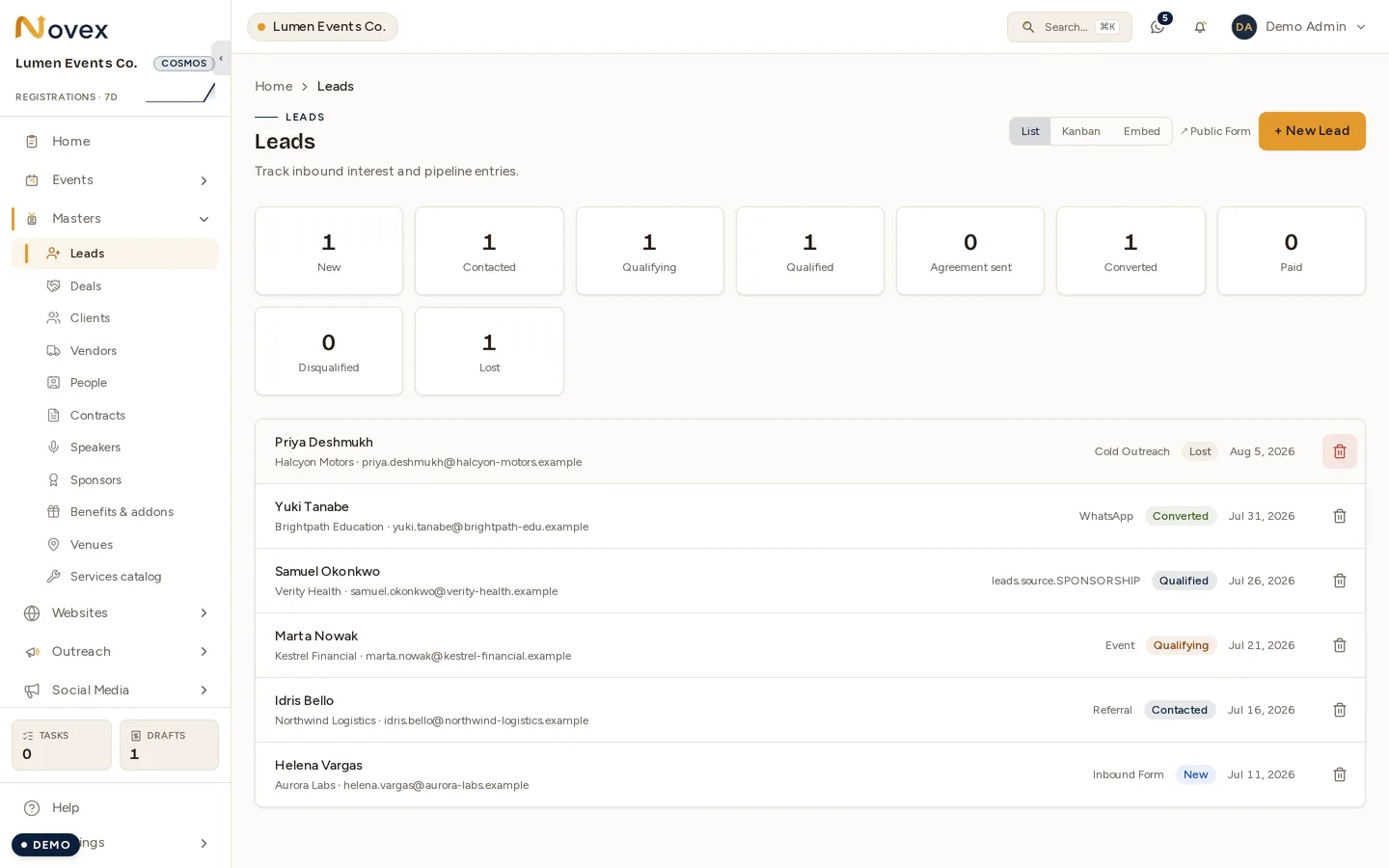
The lead list lives at /t/{tenant}/leads. It shows summary counts per status across the top and pages 50 leads at a time. A view switcher lets you flip between List, Kanban, and Embed.
Kanban board
The Kanban board gives one column per status. Drag a card to a new column to change its status — the move is optimistic and confirmed with a toast. The outcome columns (Converted, Disqualified, Lost) are shown muted. Each card displays:
- Contact and company
- Estimated value
- A priority chip
- The assignee’s initials
On mobile you see one column at a time, switched via status pills.
Adding a lead
The new lead form has these fields:
- Contact name (required)
- Contact email
- Company
- Source — Inbound form, Referral, Cold outreach, Event, Social, Partner, or Other
- Notes
Lead detail
From a lead’s detail page you can Mark Qualified, Convert to deal, or Disqualify. You can also archive and restore a lead. Permanent deletion is only possible once a lead has been archived, and only by an admin.
Statuses
Moves are validated against the legal transitions — you cannot skip steps.
| Status | Moves to |
|---|---|
| NEW | CONTACTED |
| CONTACTED | QUALIFYING |
| QUALIFYING | QUALIFIED |
| QUALIFIED | CONVERTED / DISQUALIFIED / LOST |
Public lead-capture form
A public form lives at /t/{tenant}/contact and needs no login. It renders your tenant logo and name in the tenant’s default locale. Fields are Name (required), Company, Email, Phone, and “How can we help?”. Submissions create a lead with the source set to Inbound form. The form is protected by a honeypot plus per-IP and per-tenant rate limiting.
Embed
The Embed view generates a copy-paste <iframe> snippet along with the direct public URL, so you can drop the capture form straight onto your own website.
Converting a lead
Converting a lead does several things at once:
- Creates a Deal at stage Discovery, with its value set to the lead’s estimated value.
- Creates a Client from the company and contact, with the lead’s phone and email becoming the client’s first contact.
- Flips the lead to Converted.
- Lands you on the new deal.
From the Kanban board, dragging a card to Converted only works when it is already in Qualified.
Permissions
| Action | Permission |
|---|---|
| View leads | crm.leads.read |
| Create, edit, qualify, disqualify, Kanban-move | crm.leads.write |
| Archive / restore | crm.leads.delete |
| Permanent delete | crm.leads.delete_permanently |
| Converting (also requires) | crm.deals.write |