Invoices
An invoice in Novex is a tax-compliant bill issued to a client. VAT is calculated and shown, and the PDF is generated for you. Where local rules require electronic clearance, Novex handles signing, submission, and the QR stamp automatically — see Saudi e-invoicing. Everywhere else, invoices are issued directly.
The redesigned invoices list and detail show each invoice’s status as a colour-coded badge, with amounts in tabular, two-decimal figures in the document currency, so balances, paid amounts, and totals stay easy to scan at a glance.
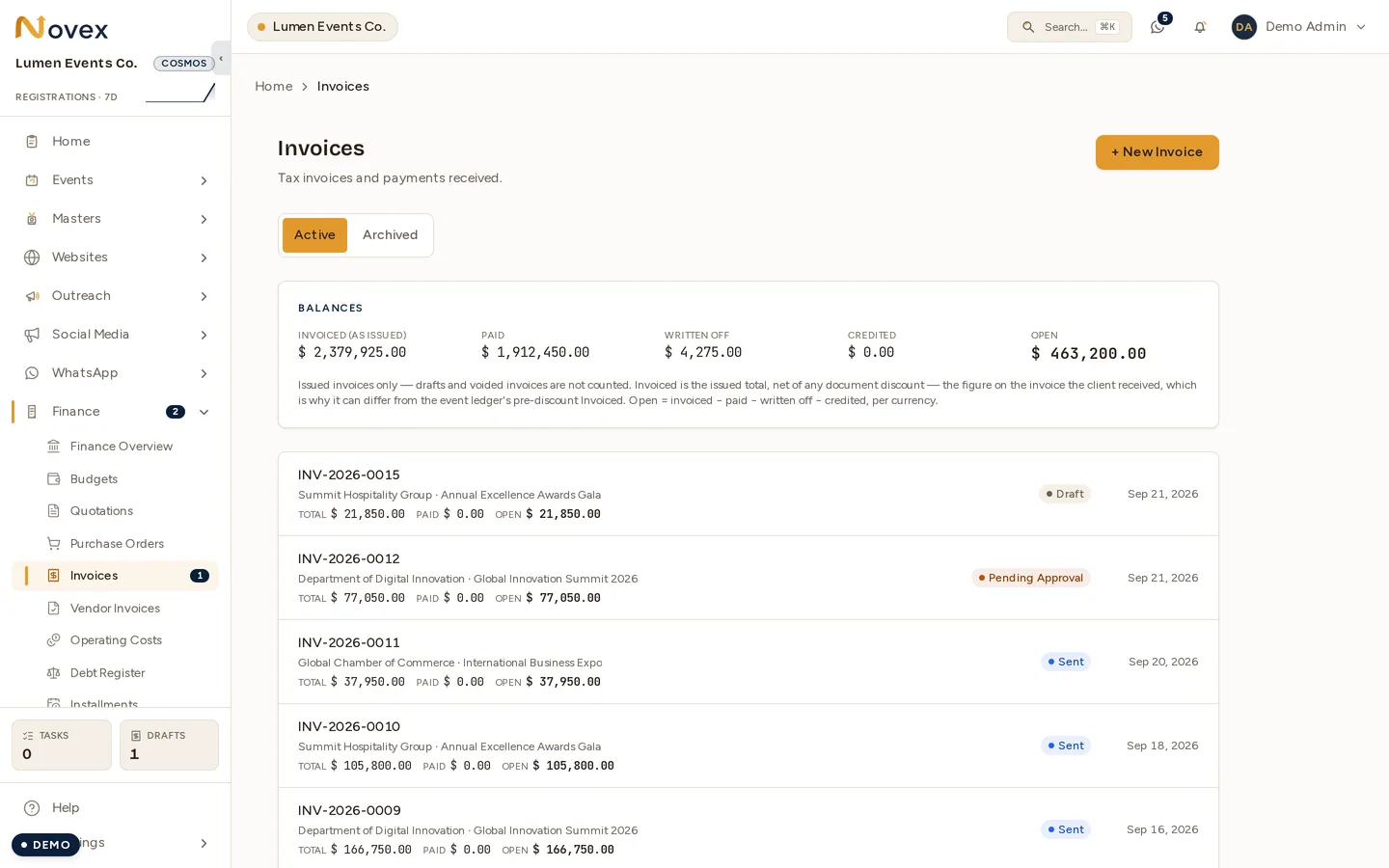
The Balances card reads left to right as one sentence: what you invoiced, what came in, what you gave up, and what is still open. Only issued invoices count towards it — drafts and voided invoices are excluded — so it will not match a pre-discount figure taken from the event ledger.
Create an invoice
There are two paths:
- From a quotation — click Build invoice from this quote on an
APPROVED/SENT/VIEWED/ACCEPTEDquotation. Recommended path — carries cost lines and discount across exactly. - From scratch — Finance → Invoices → + New invoice. Pick a client, pick an event (optional), add cost lines manually.
Cost lines
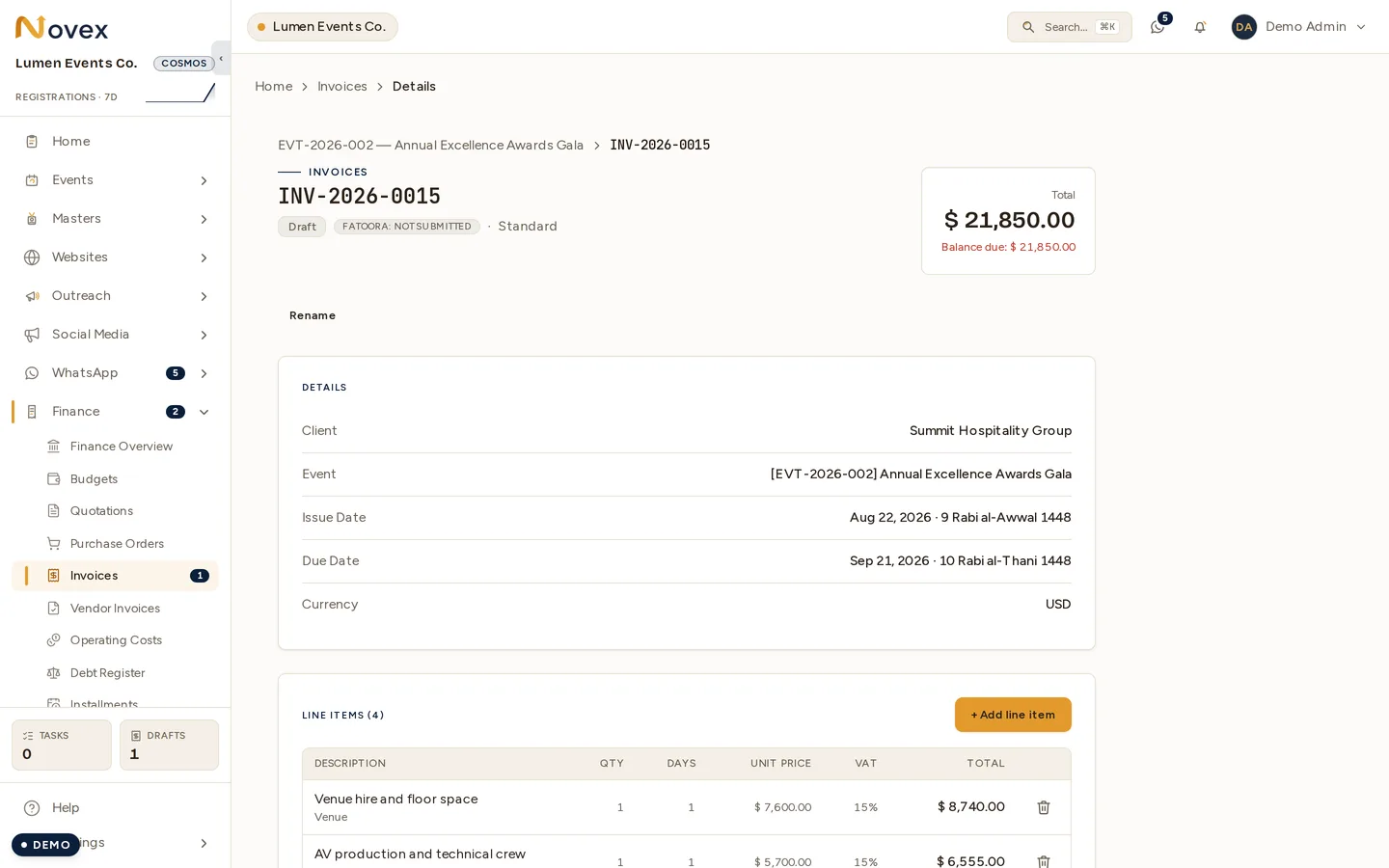
Cost lines on an invoice are the ACTUAL lines (vs. the QUOTED lines on a quotation). The conversion duplicates each QUOTED line into a new ACTUAL line that back-points to the original. You can then:
- Adjust quantity, days, or unit price (e.g. final headcount was 320, not the quoted 300 — bump catering; or extend an item from 2 days to 3).
- Add lines for last-minute scope (e.g. extra signage).
- Remove lines that didn’t happen.
Each line total is quantity × days × unit price (leave days at 1 for flat
items), the same day-aware shape used on quotations and budgets. Every edit is
audit-logged with before/after on the line.
Saudi e-invoicing (Fatoora Phase 2)
When the client has a Saudi VAT number, Issue triggers the Fatoora flow:
- Novex builds the UBL 2.1 XML payload.
- Signs it with your tenant’s CSID certificate (uploaded once — see Saudi e-invoicing setup).
- POSTs to the Reporting API (B2C) or Clearance API (B2B).
- The authority returns a cleared XML + a QR code. Novex stamps both into the PDF.
- The invoice flips from
DRAFTtoISSUEDand is final.
If the authority rejects (cert expired, payload error, taxpayer block), the invoice
stays DRAFT with the rejection reason surfaced inline. Fix and retry.
Invoice status
| Status | Meaning |
|---|---|
DRAFT | Editable. Nothing submitted, no e-invoice yet. |
PENDING_APPROVAL | Submitted for sign-off — it is now in the approvals queue. |
APPROVED | Signed off, not yet sent to the client. |
SENT | Issued. Issue date and sent date are stamped, the PDF is available, and the e-invoice is cleared where that applies. |
PARTIALLY_PAID | One or more payments recorded; a balance is still owed. |
PAID | Settled in full by payment. |
OVERDUE | Past its due date with a balance outstanding. |
WRITTEN_OFF | The remaining balance was written off rather than collected. |
VOIDED | Cancelled. Requires a reason, and is audit-logged. |
There is no ISSUED status, despite the button being called Issue
invoice. Issuing moves the invoice to SENT and stamps its issue date; the
enum this table lists is the authority (InvoiceStatus in schema.prisma).
Statuses are derived from the ledger, not set by hand: recording a payment
that clears the balance produces PAID, a write-off that clears it produces
WRITTEN_OFF, and reversing a payment on a settled invoice returns it to SENT
or APPROVED depending on whether it had been sent.
Record a payment
- Open an
ISSUEDinvoice. - Click + Record payment.
- Enter amount, date, method (Bank transfer / Cash / Card / Other), and a reference (bank transfer ID, cheque number).
- Save.
Multiple partial payments are supported. The balance and status update live. Recorded payments can be edited or deleted from the payment history timeline — each change is audit-logged.
Send to the client
Click Email invoice on an ISSUED invoice. Novex emails the client a PDF
attachment + a portal magic-link to view the invoice and (eventually) pay it.
VAT and discount
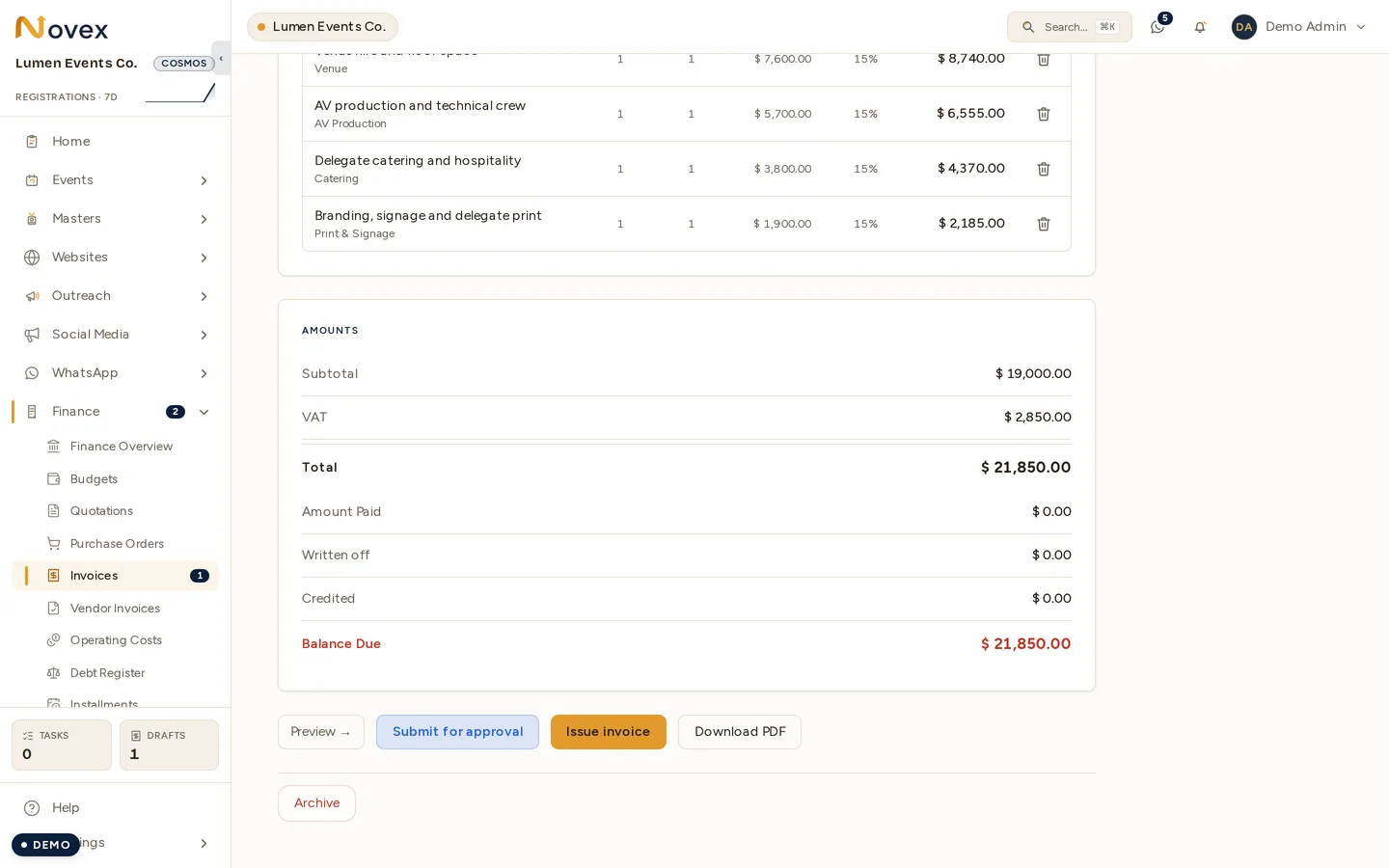
Same rules as quotations:
- VAT is calculated per line.
- Discount is at the invoice level, accepts amount or percent (the same toggle UI as quotations). Convention: VAT is computed on the pre-discount subtotal; discount applies to the final total.
When an invoice will not be paid in full
Two lines in the Amounts card above cover the money that never arrives:
- Written off — bad debt you have decided to stop chasing. Writing off part of an invoice reduces its balance; writing off the remainder closes it.
- Credited — a credit note issued against the invoice, which is a document in its own right rather than an adjustment to this one.
Both are covered in Corrections, together with the adjustments ledger and installment plans.
Preview & print
An invoice’s Preview page renders the final branded document — letterhead, line items, totals, bank details, and (for Saudi tax invoices) the e-invoice QR code. Print opens the browser’s Print / Save-as-PDF dialog and matches the preview exactly: full-bleed brand header, app chrome hidden, and colours forced on even when “Background graphics” is disabled. The emailed PDF is generated server-side and is aligned to the same branding and layout, so what the client receives matches what you preview. Header text auto-contrasts against your brand colour (see Branding).
Next
- Saudi e-invoicing setup
- Quotations
- Corrections — write-offs, adjustments and installments