Speaker travel & stay
Once a speaker is confirmed, Novex tracks how they get to your event and where they stay. You record their hotel and dates, and a complete flight itinerary — including multi-leg journeys and the return trip — so your logistics team and the Command Center always know who arrives when.
Where to find it
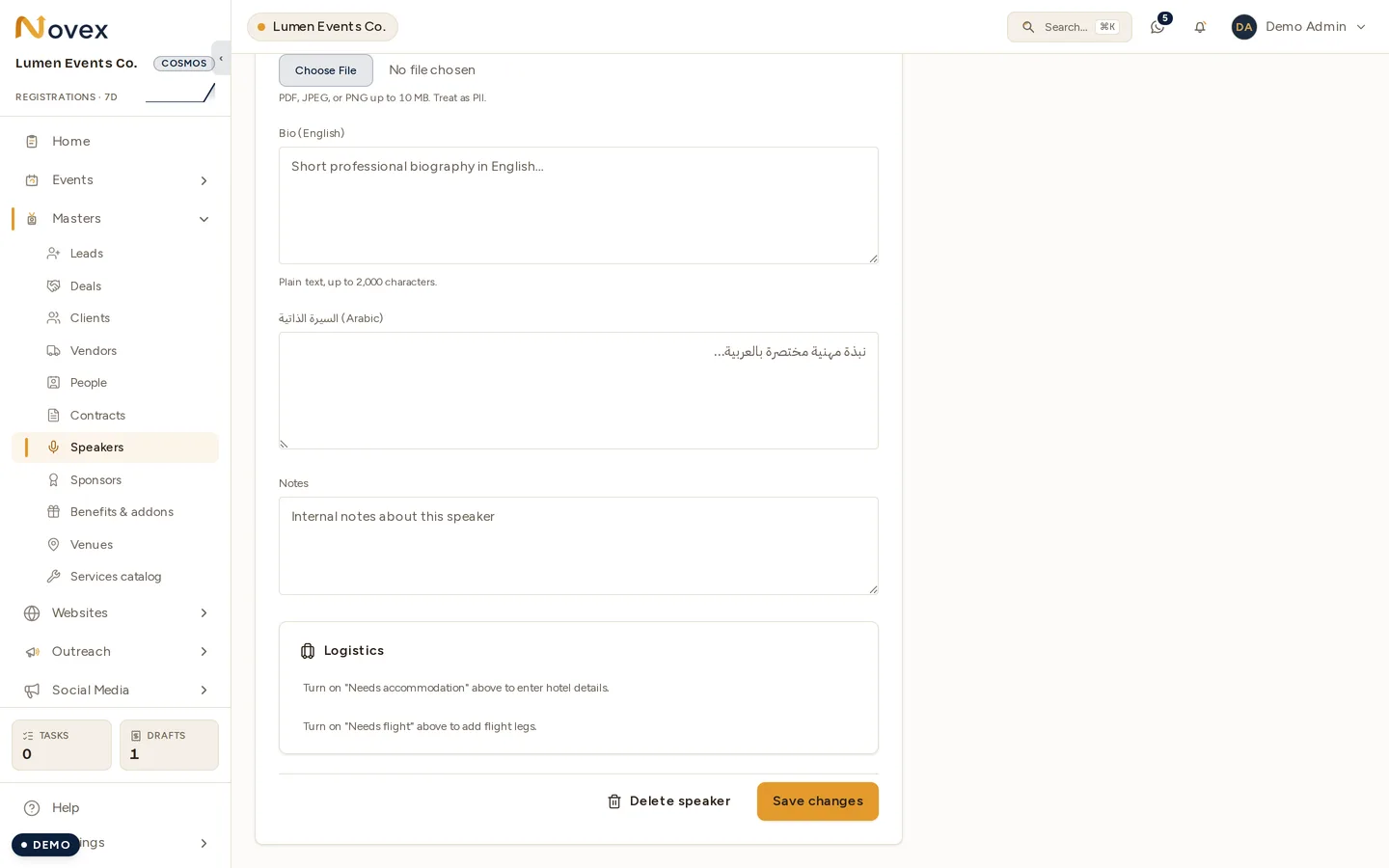
The two toggles are the gate. Until Needs accommodation or Needs flight is switched on for a speaker, the Logistics card at the foot of their form shows the prompts above rather than any fields — there is nowhere to enter a hotel or a flight leg. Turn the relevant one on first, then save, and the matching section appears.
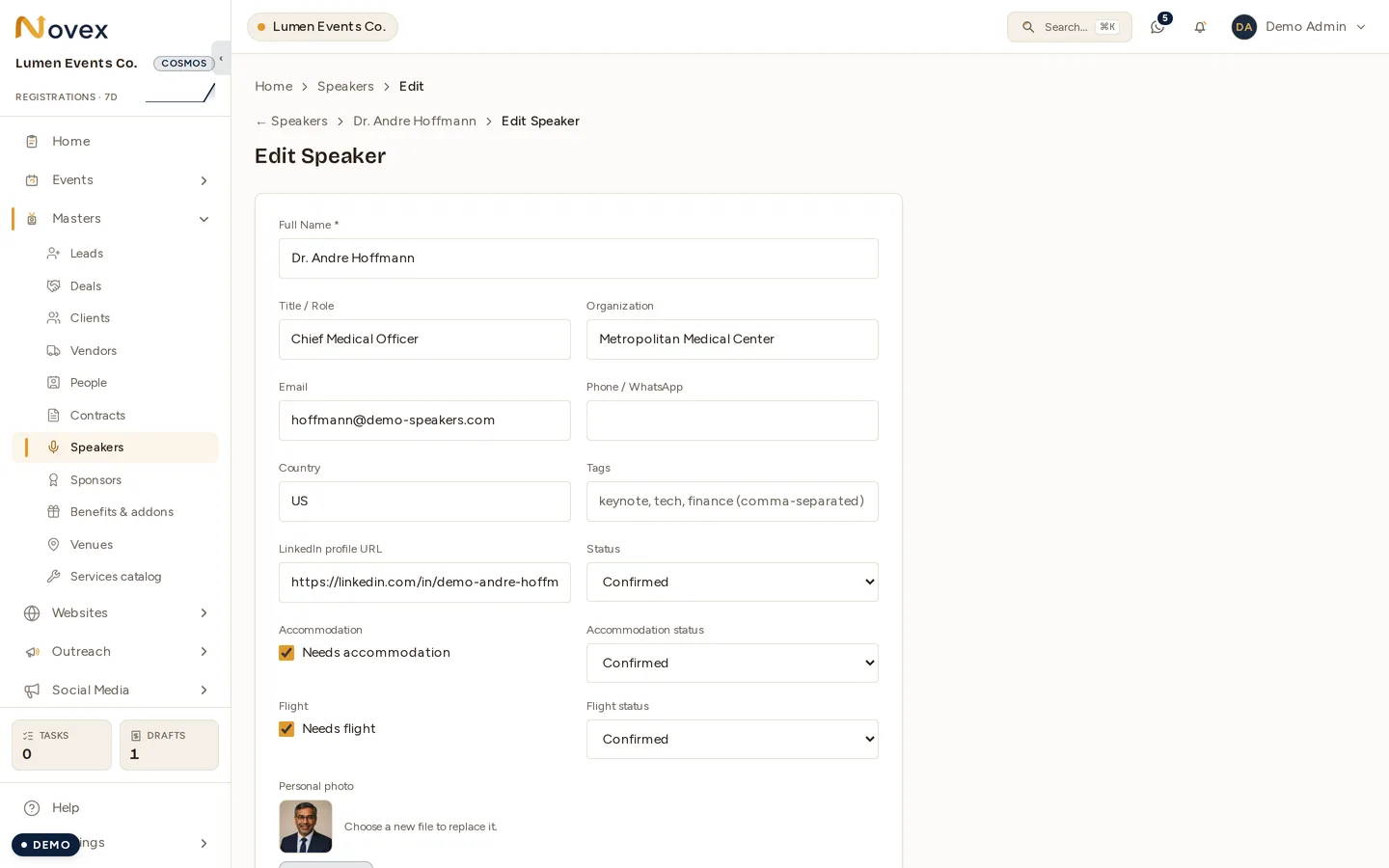
Open a speaker at /t/<slug>/speakers/<id> and Edit. The logistics
section appears once you’ve flagged that the speaker needs accommodation and/or
needs a flight (you can set those flags when creating or editing the speaker).
The read-only Travel & stay card on the speaker’s profile summarises
everything for quick reference.
Managing travel uses the events permission; the read-only card is shown to anyone with view access to speaker travel.
Accommodation (stay)
One stay record per speaker:
- Check-in date & time
- Check-out date & time
- Hotel
- Notes (room type, who’s paying, special requests…)
Novex warns you inline if check-out isn’t after check-in. Clearing a field removes that detail.
Flights — a multi-leg itinerary
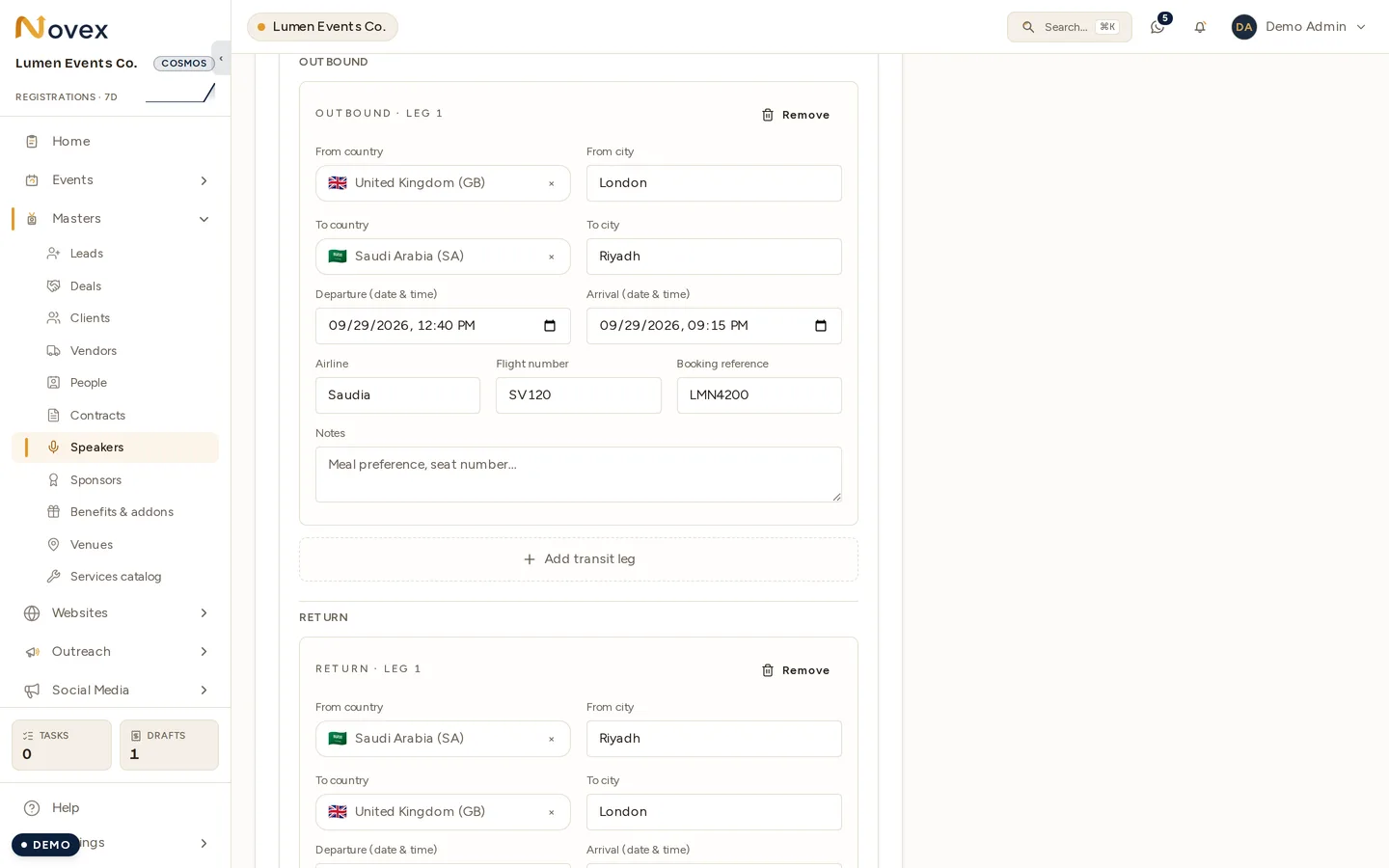
Flights are a full itinerary, not a single entry. Add as many legs as the journey needs, grouped into Outbound and Return directions. Each leg captures:
- Direction — outbound or return
- From — country (required) and city
- To — country (required) and city
- Departure date & time (required)
- Arrival date & time
- Airline
- Flight number
- Booking reference
- Notes
Connecting flights made easy
- Use + Add transit leg within a direction to build a connecting journey (e.g. Riyadh → Istanbul → London), and + Add return flight for the trip home.
- When you add the next leg, its From country pre-fills from the previous leg’s To country, so chains are quick to enter.
- A transit-chain check warns you if one leg’s destination doesn’t match the next leg’s origin — catching a gap before it becomes a missed connection.
- Each leg is its own form, so editing one never disturbs the others.
The Travel & stay card
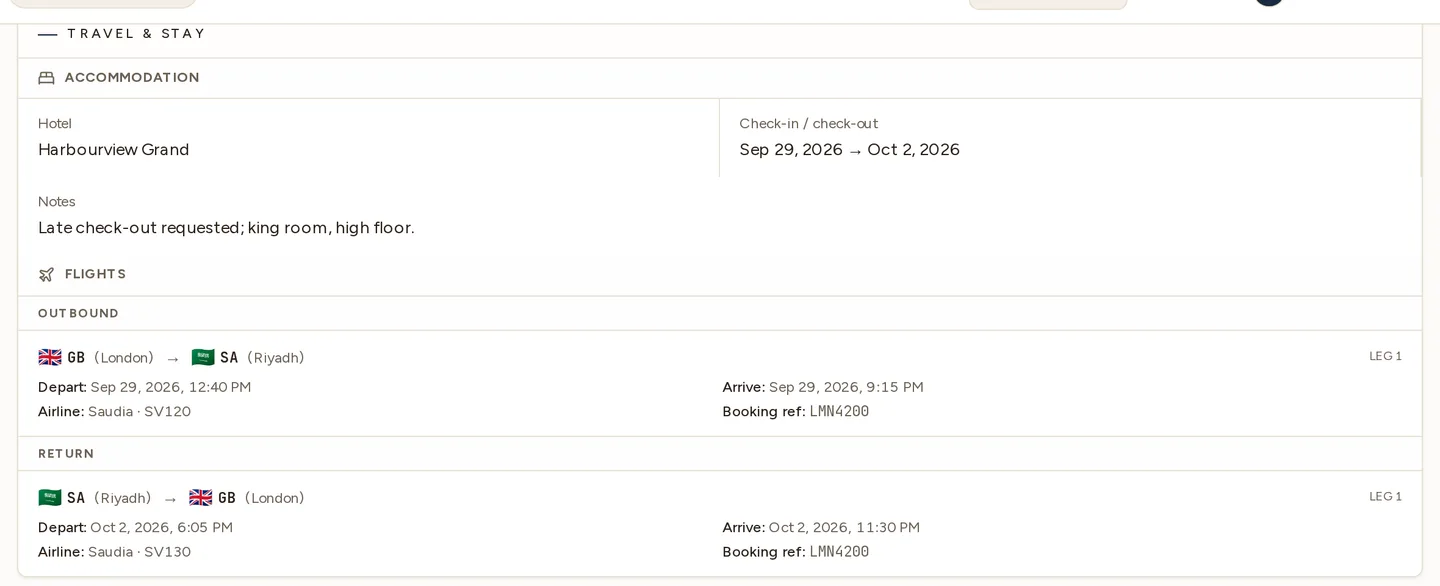
The speaker’s profile shows a read-only Travel & stay card whenever they need accommodation or a flight. It lays out:
- The hotel with check-in → check-out dates and notes.
- Flights grouped outbound then return, each leg shown as origin → destination (with country flags), cities, departure/arrival times, airline · flight number, booking reference and any notes.
If a need is flagged but not yet filled in, the card shows a clear “nothing booked yet” prompt so gaps are obvious.
Tips
- Flag needs early — ticking needs flight / needs accommodation surfaces the plane and bed icons on the speaker list so nothing slips.
- Enter the booking reference so on-site staff can help with check-in or rebooking without hunting through email.
- Heed the transit warning — if it flags a country mismatch between legs, double-check the itinerary before ticketing.
Next
- Managing speakers — profiles, bios and status.
- Command Center — live arrivals & departures on the day.