Localization
Novex is a global product: English-first, with complete Arabic (RTL) support. The interface, emails, and public pages all render in either language, and locale-aware formatting keeps numbers, currencies, and dates correct for each audience.
Languages
| Language | Direction | Notes |
|---|---|---|
| English | Left-to-right | Default for new tenants and the public marketing site. |
| Arabic | Right-to-left | Full RTL layout, mirrored navigation, Arabic typography. |
English is the default so a global audience lands in a familiar language; Arabic is a first-class option, not a machine-translated afterthought — copy is written in modern professional Arabic.
Switching language
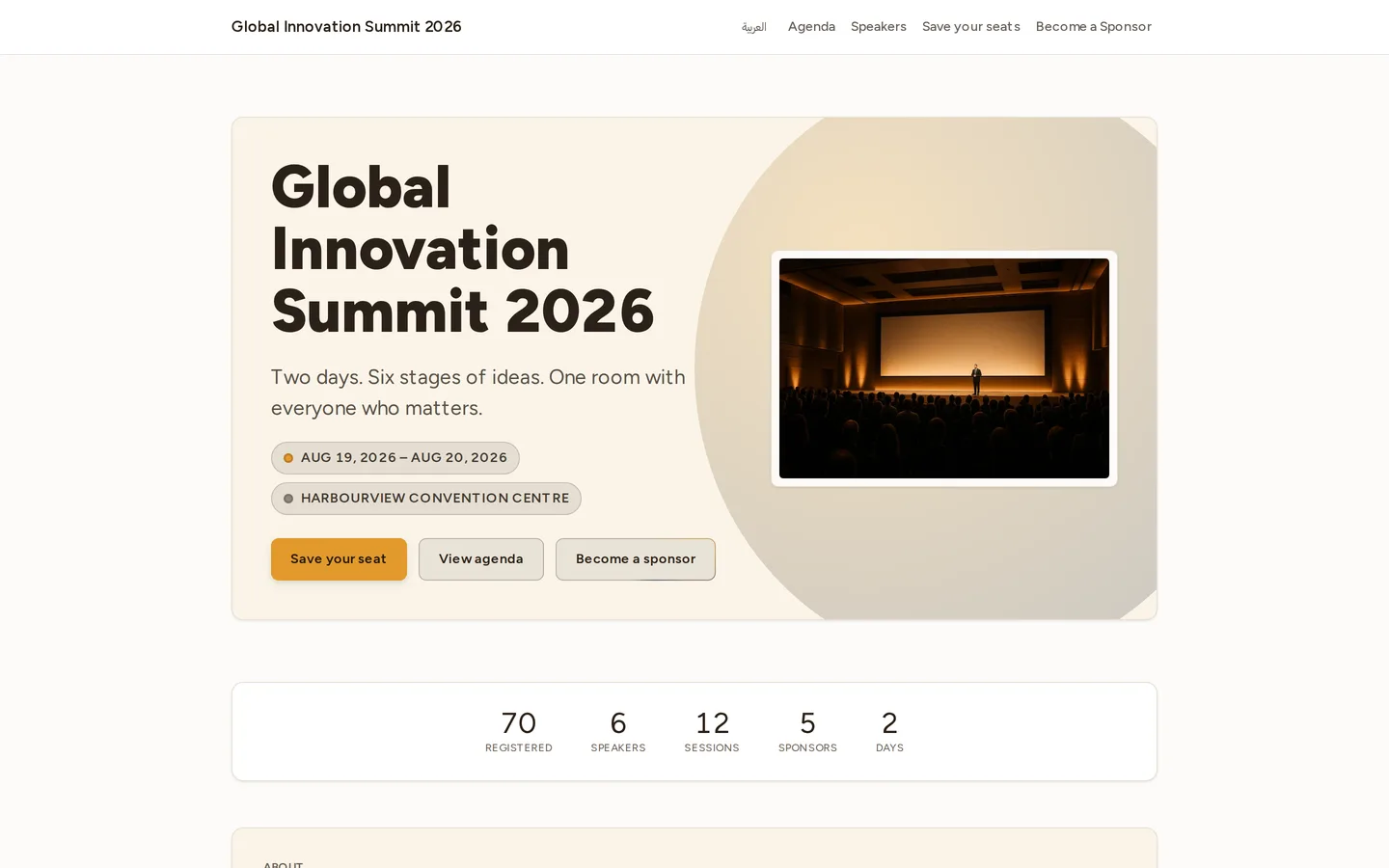
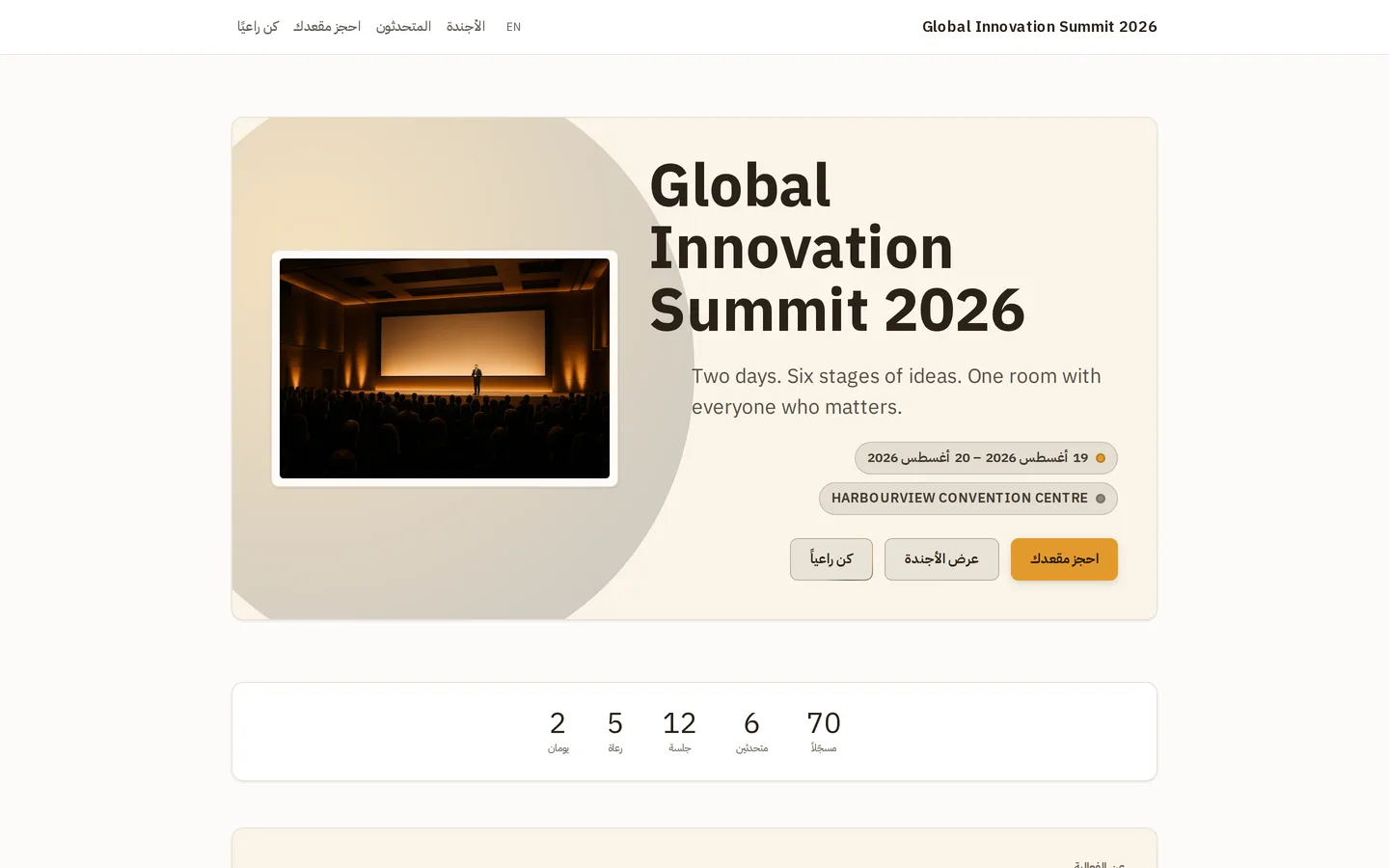
- Open the language switcher (in the top bar of the app, and in the footer of public pages).
- Pick English or العربية.
- The whole interface re-renders, switching reading direction automatically in Arabic.
Your choice is remembered for next time. Public pages also respect a ?lang=
URL parameter, which is how localized links are shared and indexed.
Numbers, currency & dates
- Numbers are formatted per locale, including correct digit rendering in Arabic.
- Currency is shown with the appropriate symbol/code (for example USD on global plans, SAR for Saudi billing and tax documents).
- Dates use Gregorian by default. Saudi tax documents additionally carry a Hijri date where required (see Invoices).
Tips & limits
- Outbound messages (email, WhatsApp templates) are language-specific — to reach Arabic and English audiences you generally maintain a version of the content in each language.
- Right-to-left layout is automatic in Arabic; you don’t configure it.
Next
Last updated on