Authentication
Every request carries an API key as a bearer token:
curl -sS https://nov3x.com/api/public/v1/events \
  -H "Authorization: Bearer nvx_live_your_key_here"
Creating a key
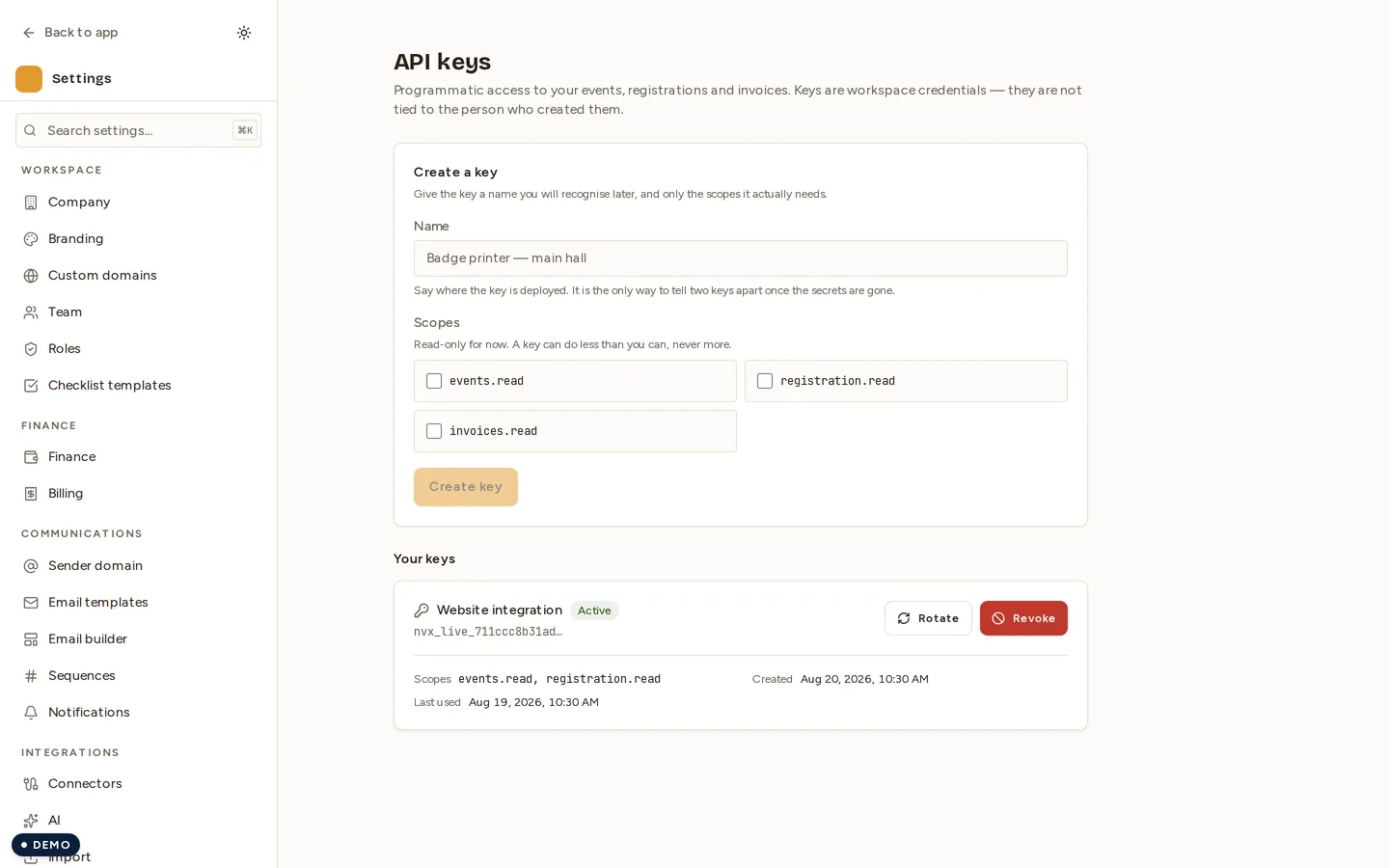
Go to Settings → API as a tenant admin and create a key. Give it a name you will recognise later — “Badge printer — main hall” beats “key 2”.
The key is shown once. We store only a one-way hash of it, so we cannot show it to you again and cannot recover it — not even from support. Copy it into your secret store before you close the dialog. If you lose it, create a new key and revoke the old one.
Scopes
A key carries scopes, and each endpoint requires one. Grant only what the integration needs — a badge printer does not need to read your invoices.
| Scope | Grants |
|---|---|
events.read | Read events |
registration.read | Read registrations |
invoices.read | Read invoices |
A key is its own identity. It is not acting as the person who created it, so it does not inherit their roles, and removing that person from your team does not change what the key can do.
Rotating a key
Rotation avoids downtime by running two keys briefly at once. Revoking first and creating second guarantees an outage in between.
- Rotate the key in Settings → API. This issues a new key with the same scopes and leaves the old one working.
- Deploy the new key wherever the old one is used.
- Watch Last used on the old key. Once it stops advancing, nothing is calling it any more.
- Revoke the old key.
Revoking a key
Revocation is immediate — the next request with that key gets 401. Revoke
any key you believe has leaked, and any key that has not been used in months.
Test keys
Keys beginning nvx_test_ are test keys. Today they exist for the
OTP API: they take the same requests and never
send a message or use a credit. A test key created before 3 October 2026
begins nvx_live_ and keeps working as a test key — what makes a key a test
key is how it was created, and the key list marks it Test.
A nvx_test_ key never acts as a live key. Keep test keys out of production
configuration, and live keys out of test fixtures: the prefix is there so a
reviewer — or a secret scanner — can tell them apart at a glance.