Express registration
An invited person opens their private link and sees one screen: the details you already hold about them, and a button that says yes. Nothing to fill in from scratch, and no account to create.
If your registration form asks the organizer’s own questions, they appear on that same screen under Your interests — see the questions below.
The door is live at /i/<workspace-slug>/<token>.
What the invitee sees
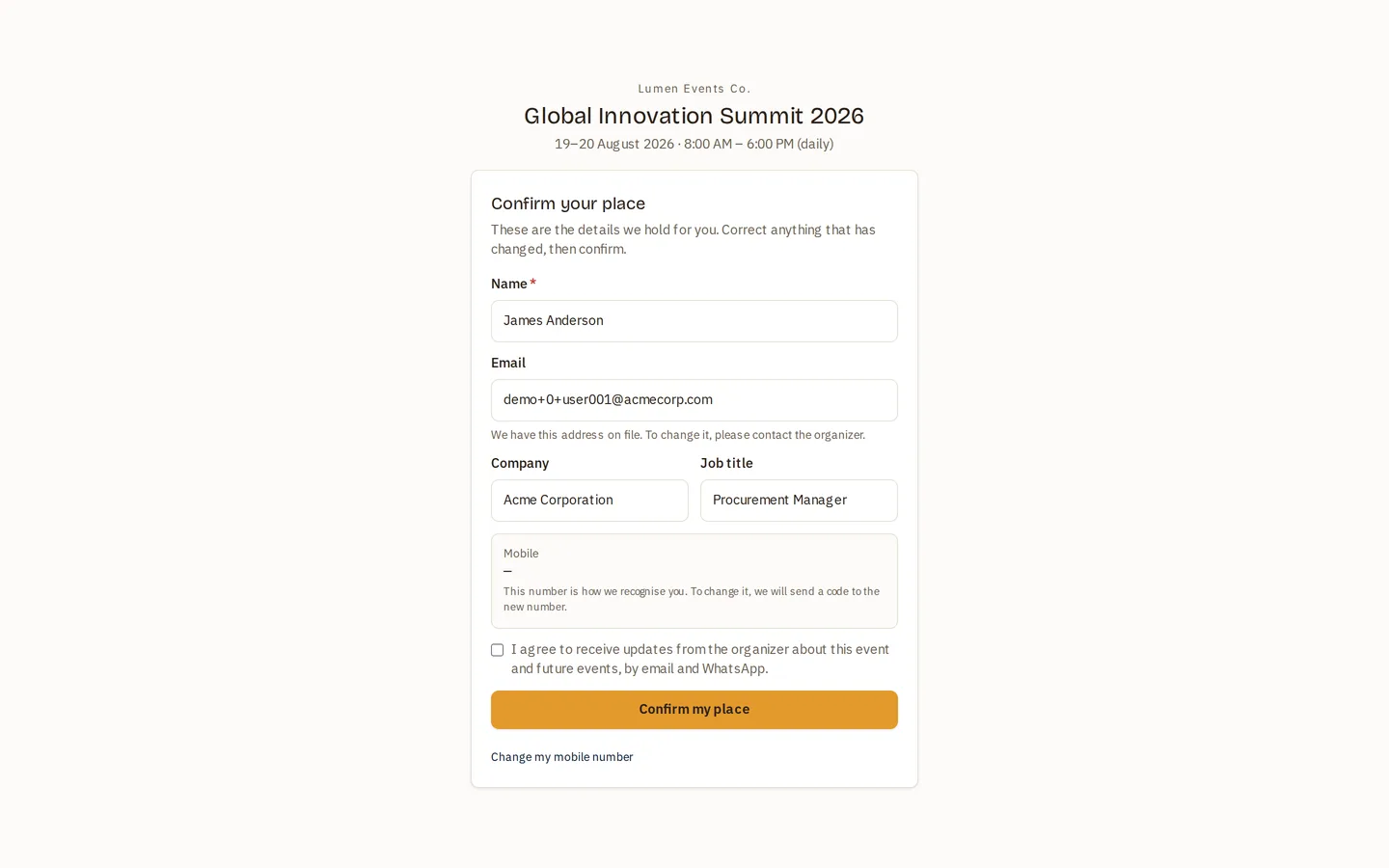
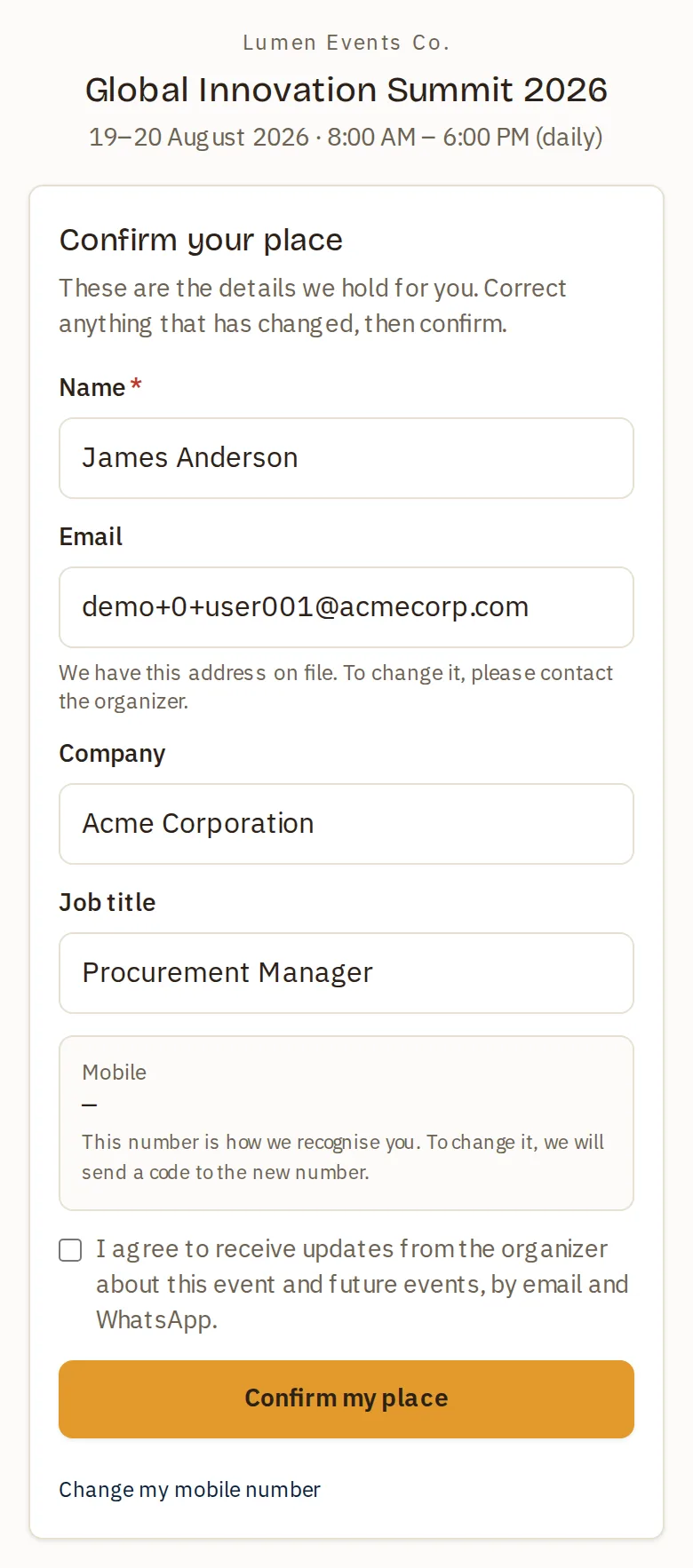
Confirm your place — These are the details we hold for you. Correct anything that has changed, then confirm.
Their name, email, company, job title and mobile, pre-filled from the People master. They can correct the ones that have changed and press Confirm my place.
Two fields behave differently from the rest:
- Email is locked. It shows “We have this address on file. To change it, please contact the organizer.”
- Mobile is the identity key — see below.
The page speaks the language the invitation was addressed in, not the browser’s. The message went out in one language; the page disagreeing with it would be the app contradicting its own email.
The organizer’s questions
If the event’s registration form asks custom questions, express asks them too — in a section headed Your interests, between the details we hold and the consent box. They are the same questions, with the same controls and the same rules, that the full registration form shows; an invitee who has seen one recognises the other.
- Required questions are required here. The invitee answers them on this screen; they are no longer sent to the full form to do it.
- A form that asks nothing shows nothing. No section, no heading — the screen stays the two steps it has always been. This is the default.
- They speak the invitation’s language, like the rest of the page. A question with an Arabic label shows its Arabic label.
Answers land on the registration exactly as they do from the public form, so they appear in the same places: the registrations list, the detail view and the export.
What confirming actually does
Confirming is a real registration, not a lighter one. It runs the same path as the public form, so it enforces the plan limit and capacity, deduplicates, issues the QR code, records custom answers and sends the confirmation email.
Afterwards: “You’re confirmed — Your place is booked. Your badge and details are on their way by email.”
Changing the mobile number
The mobile is how the workspace recognises a person, so it cannot simply be typed over. The screen says so: “This number is how we recognise you. To change it, we will send a code to the new number.”
- The invitee picks Change my mobile number.
- They enter the new number and country, and press Send me a code.
- The code goes to the new number — not the old one, and not to any email they type.
- Entering it correctly moves the identity key.
🚧 The code is not deliverable to every number yet. It goes out over WhatsApp, and that message template is still pending approval from Meta. Until it is approved a code can only reach a number your workspace already holds — for a number that is genuinely new to the workspace, nothing is sent. The screen answers “code sent” either way, deliberately: an answer that varied would let anyone use this box to test whether a given mobile number is in your workspace.
The code is sent to the number being claimed, which is the whole point: a private link proves the invitation was delivered, and that is enough to fix a job title or confirm a place. It is deliberately not enough to move somebody’s identity key, because a link forwarded into a group chat must not relocate the person it was addressed to.
If somebody else has already verified that number, the invitee is told so plainly — “Someone else has already verified this number” — rather than being shown an error.
When the door does not open
| State | What the invitee sees |
|---|---|
| Expired (older than 90 days) | “This invitation has expired — please ask the organizer to send you a new link.” |
| Revoked | “This invitation is no longer active — please contact the organizer.” |
| Already used | “This link has already been used to confirm your place.” |
| Registration not open — before it opens or after it closes | “Registration for this event is closed.” |
| The form changed while the page was open | “This form has just changed. Please refresh the page and confirm again.” |
Privacy and abuse handling
The page is never indexed by search engines, and its title is a plain “Novex” that reveals neither the person nor the event.
It is rate limited per IP, like the badge and workshop pages. A throttled caller gets exactly the same “not found” response as somebody guessing an unknown token — so probing the space teaches an attacker nothing either way.
The confirmation also carries the consent checkbox and a bot check, the same as the public form.
Related
- Invitations — what an invitation is, and what is not shipped yet.
- Master records — why the mobile is the identity key, and what that means for editing a person.
- Public registration — the open door.