Corrections
Not every invoice is paid in full, on time, or at all. Novex keeps four separate surfaces for the money that moves after a document is issued, and they are deliberately separate: each one answers a different question, and folding them together would make an invoice’s balance impossible to explain.
| Surface | What it records | Where it shows up |
|---|---|---|
| Write-off | Debt you have decided to stop chasing, on one invoice | That invoice’s balance, and the Written off figure on the invoices list |
| Adjustments | One-off corrections and miscellaneous income, with no invoice behind them | The adjustments ledger and the profit-and-loss basis |
| Installments | A repayment schedule against a liability or a vendor bill | Cash-flow forecasting and the installments screen |
| Debt register | Obligations carried over from previous years | The debt register, and outflow in forecasting |
Writing off part of an invoice
Open an issued invoice and use its write-off action. A write-off takes an amount and a reason, and the reason is required — a balance that changed without an explanation is the thing an audit asks about first.
- A partial write-off reduces the balance and leaves the status alone.
- A write-off that settles the remaining balance closes the invoice.
- Novex will not let you write off more than the invoice still owes, counting any credit notes already issued against it.
The invoices list totals every write-off into its own Written off figure, so the top of the screen reconciles: invoiced − paid − written off − credited = open.
Adjustments
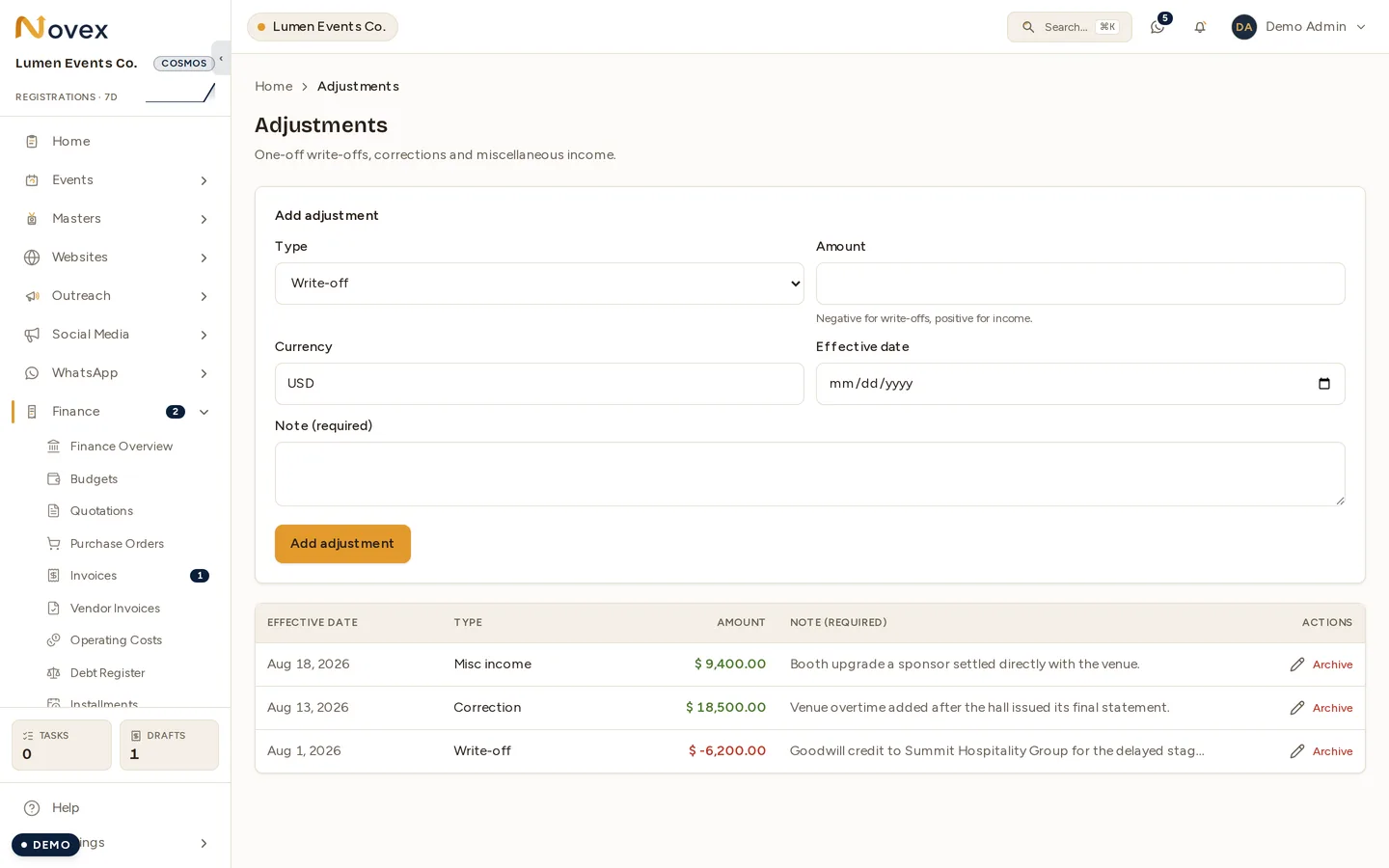
Finance → Adjustments is for money with no document behind it. Each entry carries a type, an amount, an effective date and a note — and the note is required here too.
- Write-off — bad debt with no single invoice to attach it to.
- Correction — a figure that has to move because something was recorded wrongly, or arrived after the fact.
- Misc income — money in that is not an invoice.
Sign matters. Enter a negative amount for anything that reduces the position and a positive one for income; the form says so under the amount field, and the ledger colours them apart.
Installment plans
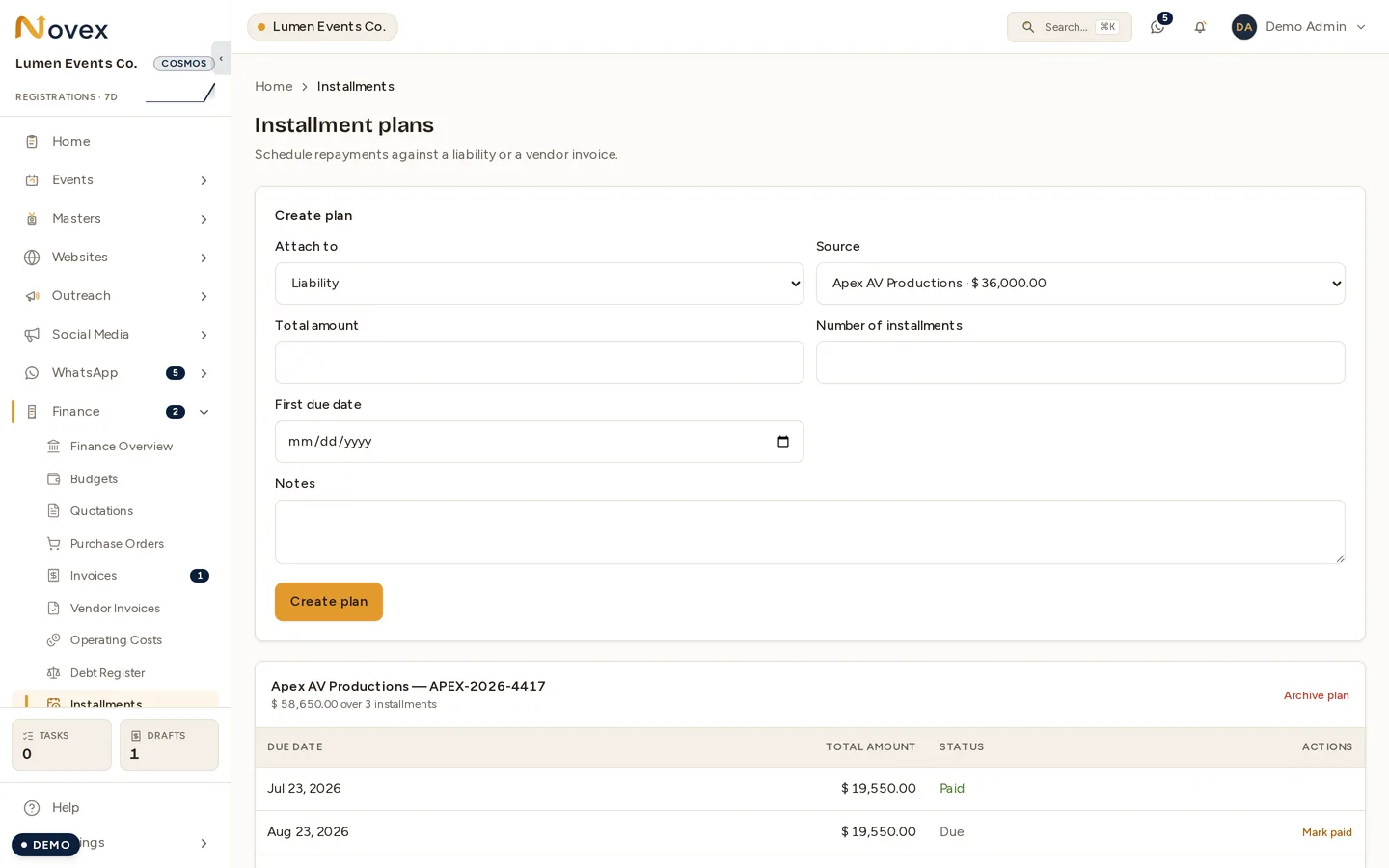
Finance → Installments turns one obligation into a schedule. Attach a plan to either a liability from the debt register or a vendor invoice, give it a total, a count and a first due date, and Novex generates the installments.
Each installment is then marked paid as it goes out — and the ones still ahead are what forecasting counts as expected outflow. A plan can be archived once it is finished; the installments stay for the record.
The debt register
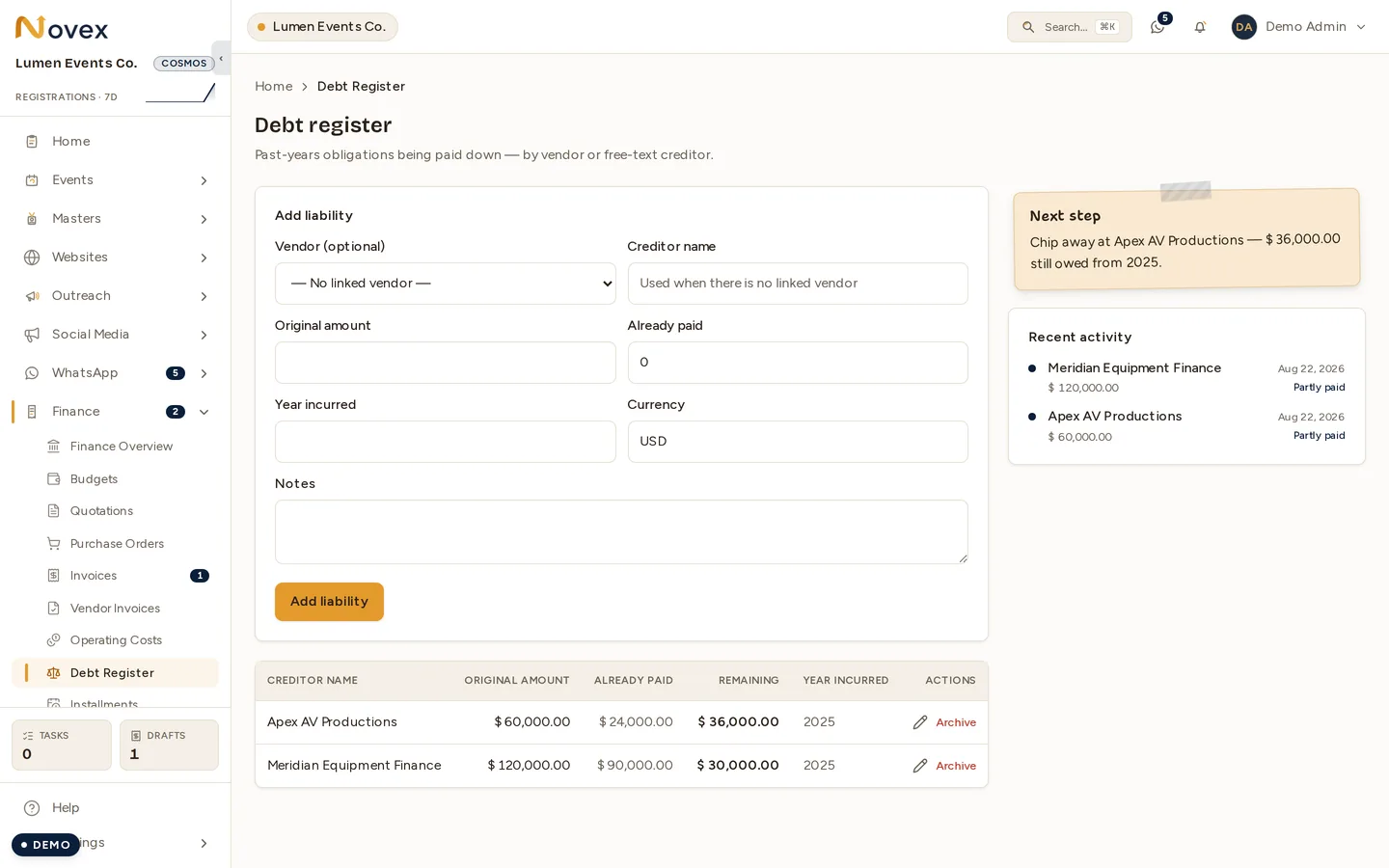
Finance → Debt Register carries past-years obligations being paid down, in the product’s own words — money owed that predates the events you are running now, tracked against either a vendor or a plain creditor name.
- Link a vendor where there is one, or use a free-text creditor name where there is not.
- Original amount and already paid give the remaining balance.
- Year incurred records when the obligation arose. It orders the register and is what distinguishes a 2025 debt from a 2026 one on screen — it is a label, not a filter, so it does not by itself exclude the liability from anything.
A Next step card sits beside the form naming one obligation to chip away at, so the register opens on something to do rather than on a table.
What is not here
Credit notes are not adjustments. A credit note is a document in its own right — it has a number, it is issued against a specific invoice, and it appears in the invoice’s Credited total rather than in the adjustments ledger. See Invoices.